

Sina: AI Tutor & Homework Help
MUHAMMED MIRAC SENGONUL · Education
Independent analytics for this App Store listing. AppTracker is not affiliated with MUHAMMED MIRAC SENGONUL.
Chart standing · US
Screenshots




About
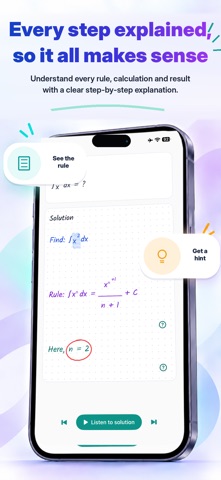
Turn a homework question into an animated video lesson with Sina. Take a photo of a question from your school subjects, then watch and listen as Sina explains the reasoning step by step. WATCH AND LISTEN TO A VIDEO LESSON Each lesson combines an animated board with spoken explanations. See the solution develop while you hear the reasoning. Pause, replay, or move between steps to learn at your own pace. SEE EACH STEP Follow equations, handwritten explanations, highlights and visual cues. Understand how the solution develops from the question to the answer. START WITH A PHOTO Capture a question with your camera or choose an image from your photo library. Work across your school subjects: math and geometry, physics, chemistry, biology, history, geography and languages. Follow calculations, concepts and explanations in a visual lesson. UNDERSTAND YOUR MISTAKES Upload your own working with the question in Find My Mistake mode. Explore where your approach went wrong and learn the reasoning behind a correction. ASK ABOUT A STEP Open a step's explanation and ask a follow-up question by typing or using optional voice input. Get help with the part you want to understand. PRACTICE WITH GUIDANCE Learning Mode guides you through a question with prompts and hints. Try a step yourself, ask for help, and work toward the solution. MAKE IT YOUR LESSON Choose how detailed your explanations should be. Use Sina in English, Turkish or German, and revisit saved lessons in your history. AI lesson generation requires an internet connection. AI-generated explanations can contain errors; check important results. Narration and voice availability depend on your device and language. Some features or higher usage limits may require Sina Premium. Available plans and prices are shown in the app. Support: info@sinapp.com SINA PREMIUM SUBSCRIPTIONS If you choose a Sina Premium subscription, the plan's benefits, duration and price are shown before purchase. Payment is charged to your Apple Account when you confirm the purchase. Subscriptions renew automatically unless canceled; renewal may be charged within the 24 hours before the current period ends. Manage or cancel your subscription in Settings > your name > Subscriptions. If a free trial is offered, cancel at least 24 hours before it ends to avoid renewal. Restore purchases from the Premium screen. Terms of Use (Apple Standard EULA): https://www.apple.com/legal/internet-services/itunes/dev/stdeula/
Details