

Crosscheck: Crosswind Calc
Yaniv van der Stigchel · Utilities
Independent analytics for this App Store listing. AppTracker is not affiliated with Yaniv van der Stigchel.
Chart standing · US
What changed · US
Listing changes AppTracker has observed for this app in this storefront — new versions, price moves, rating shifts, and store copy.
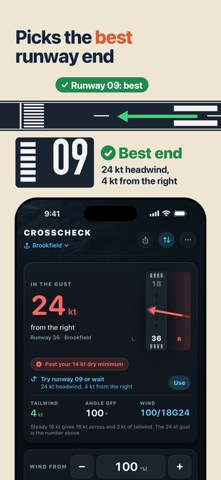
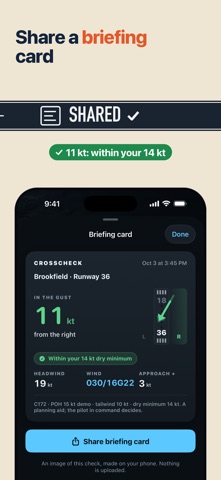
New: set your own minimums for today's runway, with dry, wet and contaminated limits shown under the POH figure. New: a gust spread line tells you how much to add to your approach speed. New: My airfields ranks the runway ends and picks the best one. New: share a briefing card. Wind inputs are back right under the answer.
In-app purchases · US
No in-app purchases.
Screenshots






About
Two lines of trigonometry, in the runup area, with the ATIS still in your head. Crosscheck does them and draws the answer. Type the runway and the wind. You get the crosswind and the head or tailwind, and — the part that matters — the runway drawn with the wind across it at the real angle, so which side it is on is unmistakable. Knowing the number is easy. Picturing the side wrong under pressure is what puts an aeroplane in the grass. THE GUST IS THE NUMBER THAT DECIDES Plan on the steady wind and land in the gust and you planned the wrong number. The headline figure is the gust; the steady one is underneath it, because you brief both. IT WORKS THE OTHER END WITHOUT BEING ASKED Every wind is computed for the reciprocal too. If that end is the better one — a headwind instead of a tailwind, or materially less across — the app says so with the numbers already on it, and swaps with one tap. That is the question you actually have when a crosswind is marginal, and no other calculator answers it. GRADED AGAINST YOUR FIGURE, NOT OURS You type the demonstrated crosswind from your own POH. The app compares your number to the computed component and tells you where you sit — within it, close to it, or past it — and it names which figure it means, the crosswind or the tailwind. There is no built-in aircraft database, on purpose. Demonstrated crosswind varies by model, by year and sometimes by modification, and a figure that is close but wrong is worse than no figure at all. For most light aircraft the demonstrated crosswind is a DEMONSTRATED value — the strongest crosswind a test pilot happened to find during certification — not a structural or regulatory limit. Some types are placarded with a real limit. The app says so where you enter it. DENSITY ALTITUDE TOO Field elevation, altimeter setting and OAT give you pressure altitude and density altitude, using the standard approximation printed in POH supplements. AND THE CLOCK RULE, HONESTLY The mental shortcut you were taught — angle off over sixty, times the wind — shown against the real figure at every angle, so you can see exactly where it starts over-reading. At 60° it says the full wind when the answer is 87%. WHAT IT IS NOT A planning aid, not an authority, and not a source of weather. It has no network connection of any kind: it does not fetch METARs, and the wind it uses is the wind you typed. Verify against the current ATIS or ASOS. It does not compute weight and balance, takeoff or landing distance, or performance of any kind. The pilot in command decides. One payment. No subscription, no account, no ads.
What's new · 1.1
New: set your own minimums for today's runway, with dry, wet and contaminated limits shown under the POH figure. New: a gust spread line tells you how much to add to your approach speed. New: My airfields ranks the runway ends and picks the best one. New: share a briefing card. Wind inputs are back right under the answer.
Details