

VidCanvas
Takashi Arai · Education
Independent analytics for this App Store listing. AppTracker is not affiliated with Takashi Arai.
Chart standing · US
Screenshots

About
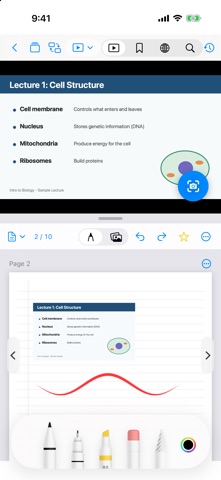
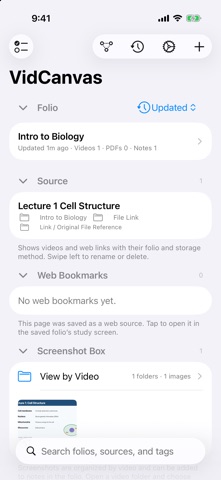
VidCanvas is a study notebook app that lets you take handwritten notes on the same screen as a video, web page, or PDF. It is built for reviewing lecture videos and online courses, and for exam preparation. STUDY IN SPLIT VIEW - Show a video (or a web page or PDF) next to your notebook - Side by side on iPad; stacked in portrait and side by side in landscape on iPhone - Swap the video and notebook positions with one tap SCREENSHOTS INTO YOUR NOTES - Capture the current video frame and save it to your screenshot box - Add images to a note from the screenshot box, Photos, or the camera - Write on top with Apple Pencil or your finger ORGANIZE WITH FOLIOS - Create a folio for each subject or topic - Keep videos, web pages, PDFs, and notebooks together in one folio - Search by folio name, source name, or tag NOTEBOOKS - A4 pages in portrait or landscape - Add, reorder, and delete pages - Import a PDF as a notebook iCLOUD SYNC - Sync folios and notes between your iPhone and iPad signed in to the same Apple Account FREE AND PRO Free: 2 folios, 1 notebook and 1 source per folio, and up to 10 screenshots VidCanvas Pro (one-time purchase): removes these limits The app is available in English and Japanese.
What's new · 1.0.2
• Fixed an issue where importing a PDF with more than 10 pages on the free plan could stop partway. PDF pages no longer count toward the screenshot limit. • Fixed an issue where returning to a video in the study view jumped to the stamp's time instead of where you left off. • Clarified the message shown when adding a photo to a note. • Simplified the Settings screen.
Details