

ARtist - AR Drawing & Painting
Mehul Mistri · Graphics & Design
Independent analytics for this App Store listing. AppTracker is not affiliated with Mehul Mistri.
Chart standing · US
Screenshots




About
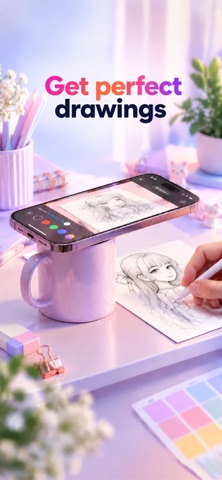
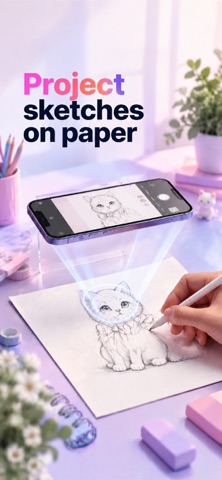
Turn your ideas into drawings with ARtist - AR Drawing & Painting, a simple and creative way to learn drawing using your phone’s camera and AR. Whether you're learning to draw for the first time, practicing your sketching skills, or simply looking for a fun way to create artwork, ARtist - AR Drawing & Painting helps make drawing easier. Choose an image, display it over a real surface through your camera, and follow the guide to create your own sketch. From animals and anime-inspired artwork to flowers, cartoons, vehicles, people, nature and more, discover drawings for every mood and skill level. 1. DRAW WITH AR - Use your phone camera to bring digital references into the real world. - Place your phone above a piece of paper, choose the image you want to draw, adjust it on the screen, and start tracing. Follow the reference while looking through your camera and turn simple lines into beautiful artwork. - ARtist makes it easier to understand shapes, proportions and outlines while practicing your drawing skills. 2. UNLIMITED CREATIVITY - Select from a diverse sample library or import photos from your own gallery. - Enhance your drawings with advanced options: Adjust Opacity for the best display, Record video of your drawing process easily, zoom in/out of the image as you wish, turn on/off flash, and extend. 3. TRACE ANY IMAGE - Import an image from your gallery and use it as a reference for tracing. - Adjust the image until it fits your drawing surface and start creating. 4. LEARN TO DRAW STEP BY STEP - Explore drawing lessons designed to help you practice one step at a time. - Follow guided drawing steps, learn how different shapes come together, and gradually improve your sketching skills. - Whether you're a beginner or already enjoy drawing, ARtist gives you a fun way to practice regularly. 5. TURN PHOTOS INTO SKETCH REFERENCES - Transform your photos into drawing-friendly references and use them to practice tracing. - Choose a photo, create an outline-style reference, and follow the lines on paper. It's a simple way to turn everyday photos and ideas into your next drawing project. 6. SHARE YOUR EXPERIENCE - Effortlessly share your finished artwork with the community and your friends. - Download videos of your unique drawing process and enjoy watching them. Download the ARtist - AR Drawing & Painting now and join millions of artists discovering a new way to draw. Terms of Use: https://digitalapps.studio/terms-and-conditions.html Privacy Policy: https://digitalapps.studio/privacy-policy.html
Details