

RouteLedger
Paul Simmonds · Productivity
Independent analytics for this App Store listing. AppTracker is not affiliated with Paul Simmonds.
Chart standing · US
What changed · US
Listing changes AppTracker has observed for this app in this storefront — new versions, price moves, rating shifts, and store copy.
Improved driving-versus-walking detection, clearer saved-place stops and route names, plus major performance and stability improvements for long drives, maps, and PDF reports.
Screenshots

About
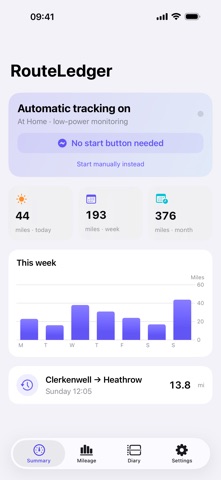
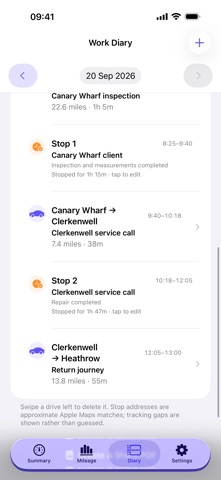
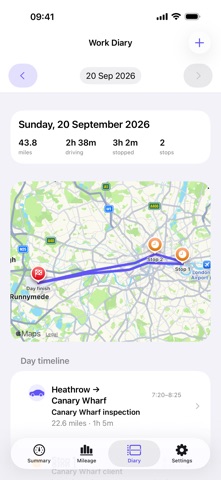
RouteLedger is a private automatic mileage tracker and work diary for people who need to remember where they drove, when they stopped, and how many miles they covered. Drive normally and RouteLedger uses iPhone motion and location signals to detect vehicle travel automatically—even in slow traffic. Walking and cycling signals help prevent false journeys, while saved Home, Work, and regular locations reduce unnecessary GPS use. Review any day on a map, see each drive and meaningful stop in order, and use approximate Apple Maps addresses to help reconstruct your diary. Label stops with a customer or job, add notes, and create a PDF day report when you need a record to share. Features include: - Automatic background drive detection - Traffic-aware separation of driving and walking - Daily, weekly, and monthly mileage totals - Date-based route maps and work diary - Stop durations and approximate addresses - Work, personal, and unclassified journeys - Manual entry for a missed journey - Edit mileage, times, job names, and notes - Split or merge journeys while preserving route points - PDF day reports - Full backup and restore - CSV mileage and GPX route export - Private iCloud sync across your devices - Apple Watch mileage overview Your diary is stored on your device and in your private iCloud database. RouteLedger has no advertising, third-party analytics, or developer-readable route server. Background tracking requires Motion access plus Precise Location set to Always. As with every iPhone location app, force-quitting RouteLedger prevents automatic background detection until the app is opened again.
What's new · 1.1
Improved driving-versus-walking detection, clearer saved-place stops and route names, plus major performance and stability improvements for long drives, maps, and PDF reports.
Details