

Sign & Fill PDF
Abolfazl Rejali · Productivity
Independent analytics for this App Store listing. AppTracker is not affiliated with Abolfazl Rejali.
Chart standing · US
What changed · US
Listing changes AppTracker has observed for this app in this storefront — new versions, price moves, rating shifts, and store copy.
Now available in English, German and Persian (Farsi). New privacy policy and legal notice in the app.
In-app purchases · US
No in-app purchases.
Screenshots



About
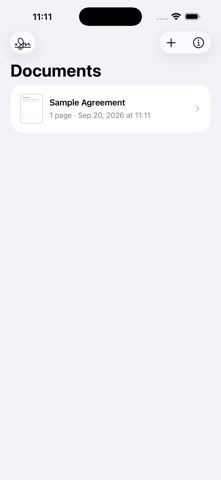
Sign & Fill PDF lets you sign and fill PDF documents right on your iPhone or iPad. SIGN Draw your signature or initials with your finger or Apple Pencil, or type them. Saved signatures can be reused on any document with one tap. FILL • Add text fields, dates and times in several formats • Place check marks, crosses and dots • Fill native PDF form fields • Move and resize everything on the page IMPORT OR SCAN Open PDFs from Files or other apps, or scan paper documents with the camera. SHARE Share a flattened copy of the signed PDF via Mail, Messages, Files and more. PRIVATE No account, no server, no analytics. Your documents and signatures never leave your device unless you share them. Note: the app places a visual signature. It does not create cryptographic digital signatures and does not provide legal advice. Available in English, German and Persian (Farsi).
What's new · 1.2
Now available in English, German and Persian (Farsi). New privacy policy and legal notice in the app.
Details