

musicinkloop:Play Music Theory
KA LOK LAM · Music
Independent analytics for this App Store listing. AppTracker is not affiliated with KA LOK LAM.
Chart standing · US
What changed · US
Listing changes AppTracker has observed for this app in this storefront — new versions, price moves, rating shifts, and store copy.
Updated the App Store name and subtitle to better describe drawing music and playing with melodies and beats.
Ratings breakdown · US
The star breakdown behind this app's rating in this storefront.
In-app purchases · US
What this app sells inside itself, grouped by kind and priced for this storefront.
Screenshots



Similar apps
Competitors and close alternatives, as estimated by AppTracker.


About
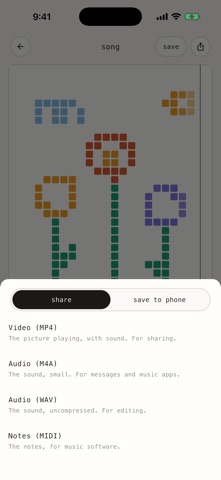
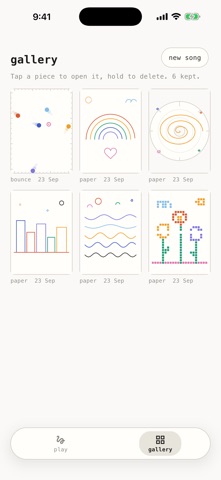
musicinkloop is three visual instruments in one. Everything you make loops. PAPER: draw a line and hear it. Height is pitch, left to right is time. The paper is tuned to a pentatonic scale, so anything you draw sounds in tune. Nine colours are nine instruments: keys, pluck, bell, marimba, flute, strings, chime, bass and 8-bit. BOUNCE: flick a dot and hear it pluck. Dots fly in straight lines and bounce off the frame; every wall they hit is a string, and where they hit sets the note. Nine colours are nine guitars: nylon, steel, muted, harmonic, bass, twelve-string, ukulele, thump and banjo. Tap a dot to hold it; flick it again to send it off. TRACK: draw a shape and hear it drum. A dot runs around the shape once per loop and strikes every corner. Nine colours are nine percussion kits: body, gongs, metal, wood, electronic, kitchen, glass, drum kit and taiko. Turn on the brush and curved lines become continuous percussion. - Draw, erase, undo, or let the app doodle something for you - Add a bass line and an arpeggio; paper and bounce also have backing drums - Change the tempo while it plays - Switch the paper to the grid view to see your drawing as notes - Tap the help button, then tap any control to learn what it does - Save pieces to the gallery and open them again - String paper pieces into a song, up to eight bars - Round paper: time goes around, pitch goes out - Sixteen keys to play along, and ink what you play - Export as WAV, MIDI, M4A or video; share it or save it to your phone THE STUDIO (optional in-app purchase, bought once): - Photo to music: pick a photo; its lines turn into ink, and the ink plays. The photo never leaves your phone. - Key and scale: twelve keys, major or minor, two octaves up or down. - Notes per beat: one to eight notes a beat, for quicker runs. - Exact tempo: tap along to any song, or type the number. - Your colours: give each of the nine sounds the colour you like. Everything else above comes with the app. No account, no ads, no data collection. The instruments work offline; buying the studio needs the App Store.
What's new · 1.4.2
Updated the App Store name and subtitle to better describe drawing music and playing with melodies and beats.
Details