

Rhythm: Alarm & Focus
Noah Scott · Utilities
Independent analytics for this App Store listing. AppTracker is not affiliated with Noah Scott.
Chart standing · US
Screenshots



About
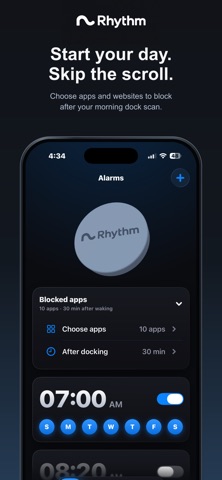
Rhythm helps you get out of bed and protect the time that follows. Place your Rhythm dock away from the bed. When the alarm rings, walk over and touch the top of your iPhone to the dock. That ends the repeating alarm sequence and starts the morning block you chose the night before. With Rhythm you can: • Create multiple alarm schedules for different days • Choose a sound and ring-again interval for each alarm • Use a system alarm that can sound through Silent mode and Focus • Pair more than one Rhythm dock • Choose apps and websites to block after your morning dock scan • Set your morning block before bed, from 15 minutes to 4 hours • Start a Focus session whenever you need one, then scan your dock to end it • Create Focus modes for selected apps and websites • See your blocking time and recorded wake-up times in Activity • Review permission health and test your alarm from Settings Rhythm does not require an account and does not include advertising or analytics. Your alarms, docks, Focus modes, and activity history stay on your device. Requires an iPhone running iOS 26 or later. A Rhythm dock is required to enable and complete alarms and to end a manual Focus session. Screen Time authorization is required for app and website blocking.
Details