

Session Cam: Trick Recorder
Stanley James · Photo & Video
Independent analytics for this App Store listing. AppTracker is not affiliated with Stanley James.
Chart standing · US
What changed · US
Listing changes AppTracker has observed for this app in this storefront — new versions, price moves, rating shifts, and store copy.
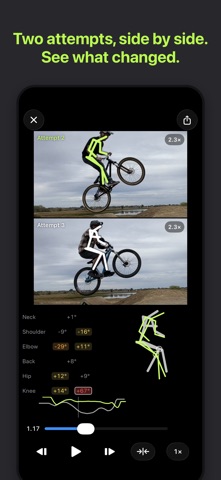
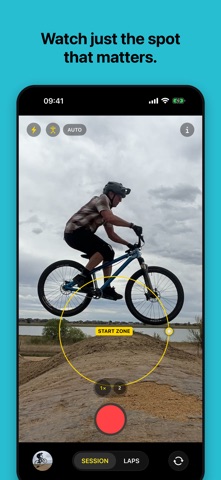
Compare two attempts side by side. The skeleton and the joint angles run on both clips as they play, you can pinch to zoom both at once, and tracing a joint keeps it in frame as the rider crosses. Export the comparison as a video to send to a coach, or to a rider who doesn't have the app. Choose how attempts start: AUTO as before, ZONE to watch one spot and ignore the rest of the frame, or MANUAL for one tap per attempt. The start zone and the laps start line are now always on screen and dragged into place, instead of drawn with a long press. Body pose is on by default, and every attempt has a Compare button.
Screenshots


About
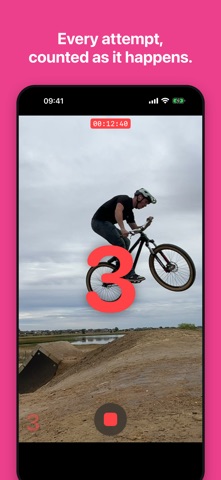
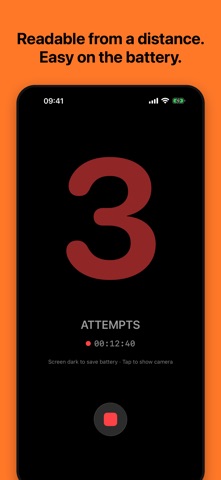
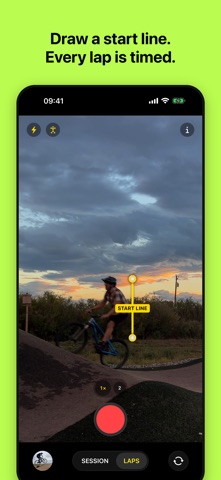
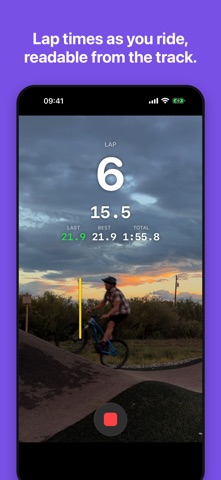
Record your whole session. Keep just the action. Practicing a mountain bike or BMX jump, a skateboard trick, a dance move or a climbing problem means trying it again and again, with a lot of waiting in between. Session Cam turns that into just the good part. Prop your iPhone somewhere it won't move — a tripod, a shoe, a water bottle — press record and go. The camera watches for motion and saves each attempt as its own clip, with a moment of lead-in and follow-through. Everything in between is thrown away as you record. JUST THE ATTEMPTS Come back to a few seconds per attempt instead of an hour of footage. No scrubbing, no trimming. FOCUS ON THE SPOT Touch and hold the viewfinder to set a detection zone around the jump or the spot you're working on, so people walking by in the background don't count. LAP TIMES Switch to Laps, draw a start line across the track, and every lap is timed as you ride: the latest lap large enough to read from the track, with your best and your total. Each lap is also kept as a clip, for a pump track, BMX track or skatepark line. SEE YOUR FORM Turn on body pose and Session Cam traces your skeleton over each attempt, so you can watch how you moved. The analysis runs on your iPhone between attempts, and the skeleton can be included in the videos you share. REVIEW AND SHARE Open a session to watch the supercut of every attempt. Uncheck the warm-ups, then share the supercut, individual attempts, or 30-second parts ready for Strava. Optionally add the attempt number and date to shared videos in Settings. ON YOUR WRIST With Session Cam on your Apple Watch, start and stop recording from where you ride, watch the count go up, and feel a tap for each attempt saved. WORKS LIKE THE CAMERA APP One button, no setup, no sensitivity sliders. Session Cam follows the look and feel of the iPhone Camera app, so there's nothing to learn. PRIVATE BY DESIGN Everything stays on your iPhone. No account, no tracking, nothing uploaded. Already have a long video of a session? Import it and Session Cam will pull out the attempts. Tips: anything that holds the phone still works — a tripod, a shoe, a bottle, a stick — and a battery pack keeps a long session going. Motion detection works best when the camera stays completely still and the background is calm.
What's new · 1.1
Compare two attempts side by side. The skeleton and the joint angles run on both clips as they play, you can pinch to zoom both at once, and tracing a joint keeps it in frame as the rider crosses. Export the comparison as a video to send to a coach, or to a rider who doesn't have the app. Choose how attempts start: AUTO as before, ZONE to watch one spot and ignore the rest of the frame, or MANUAL for one tap per attempt. The start zone and the laps start line are now always on screen and dragged into place, instead of drawn with a long press. Body pose is on by default, and every attempt has a Compare button.
Details