

Hourlo: Time Tracker
Dennis Donner · Productivity
Independent analytics for this App Store listing. AppTracker is not affiliated with Dennis Donner.
Chart standing · US
Screenshots




About
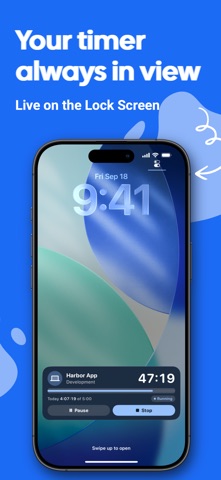
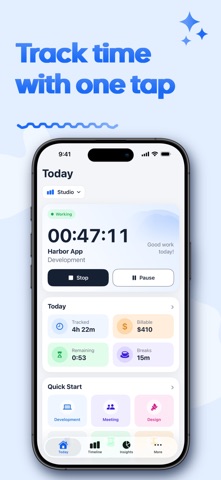
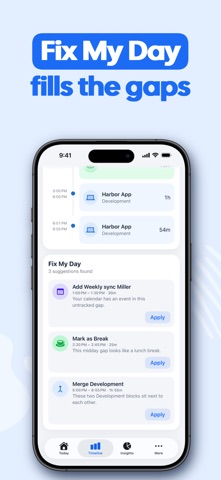
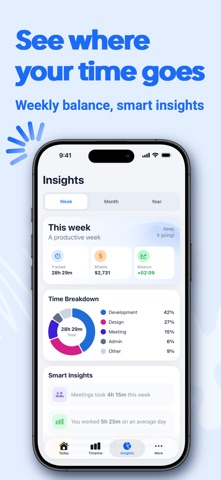
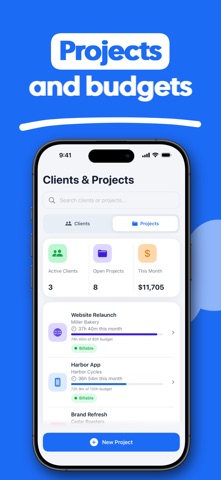
A time tracker for a job, freelance clients and personal time — in one app. Start in one tap. Today shows your goal and billable total. The running timer stays on the Lock Screen and in the Dynamic Island as a Live Activity, so you can pause or stop without opening Hourlo. A Home Screen widget keeps the same snapshot in reach. Your day is a timeline: every block, every break, every gap. Fix My Day suggests fills from your calendar and likely breaks, then applies them in a tap. See the week, month and year: progress against your target, a category breakdown and the projects that actually took the time. Clients, projects, rates and budgets stay on the hours. When you are ready to bill, export PDF, CSV or Excel — or an invoice. Workspaces keep employed work, freelance and personal time in separate spaces, each with its own schedule, targets and currency. Arrive at a saved place and Hourlo can start the timer; leave and it can stop, with a confirmation if you want one. iOS delivers those geofence events on a best-effort basis — a helper, not a guaranteed punch clock. On Apple Watch: start, pause and stop, Quick Start tiles and a complication. Shortcuts and Siri can start work, a project, a category or a break. Your time, projects, clients and places stay on this iPhone. There is no Hourlo account and no Hourlo cloud. Purchases go through the App Store; nothing else is uploaded as a profile. Built for iPhone and Apple Watch. Terms of Use (EULA): https://www.apple.com/legal/internet-services/itunes/dev/stdeula/
What's new · 1.1.7
New: a small welcome and a direct way to send me your feedback. Plus more precise diagnostics under the hood, so I can find and fix problems faster. Enjoying the app? I'd really appreciate a rating on the App Store.
Details