

NanoPad: Markdown Notes
Digital Toys LLC · Productivity
Independent analytics for this App Store listing. AppTracker is not affiliated with Digital Toys LLC.
Chart standing · US
What changed · US
Listing changes AppTracker has observed for this app in this storefront — new versions, price moves, rating shifts, and store copy.
A better way to save links to NanoPad. • Set a note title before saving, or append to an existing note. • Choose a clipping or just a link, and add your own comment. • Find destinations faster with search and pinned notes. Your last destination and format are remembered. • Shared links are cleaner, with improved handling of text from the source app. This update also improves scrolling in notes with images and tables, and makes links to note headings more reliable.
Screenshots



About
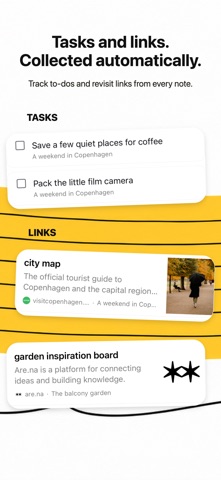
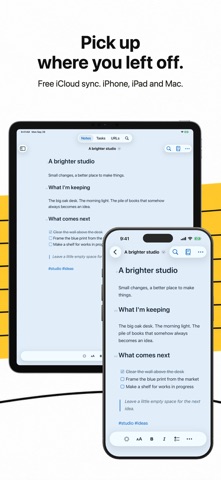
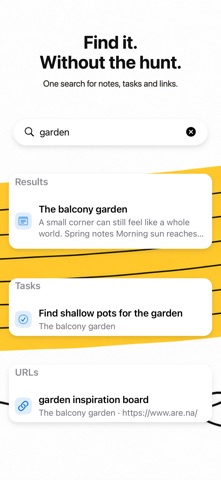
NanoPad is a quiet place to catch a thought, keep a checklist, and save a useful link. Notes, tasks, and URLs stay connected: write in a note, then find the task or link in its own view. WRITE YOUR WAY Use Markdown or the formatting toolbar for headings, lists, checkboxes, tables, links, and images. Search across your notes, return to recently opened work, and export your writing as Markdown, plain text, or PDF. KEEP YOUR NOTES TOGETHER Your notes are stored on your device and sync through your personal iCloud account when available. Share text or a web page to NanoPad from other apps. START FREE, UNLOCK WHEN YOU NEED MORE Free includes five fully editable personal notes, plus iCloud sync and export. If you have more than five notes after a trial or purchase ends, every note stays visible, searchable, copyable, and exportable; the first five remain editable. NanoPad Lifetime is one in-app purchase for unlimited editable notes and every available theme, font, and paper style. You can choose a free 7-day trial of the full app first. It requires no payment and does not renew automatically. When the trial ends, paid features lock unless you buy Lifetime; your writing stays yours. On Mac, the same App Store purchase also unlocks sticky note windows, Focus Writing, and linked Markdown folders.
What's new · 1.1.1
A better way to save links to NanoPad. • Set a note title before saving, or append to an existing note. • Choose a clipping or just a link, and add your own comment. • Find destinations faster with search and pinned notes. Your last destination and format are remembered. • Shared links are cleaner, with improved handling of text from the source app. This update also improves scrolling in notes with images and tables, and makes links to note headings more reliable.
Details