

VideoFix: HDR Video Converter
嘉莉 梁 · Photo & Video
Independent analytics for this App Store listing. AppTracker is not affiliated with 嘉莉 梁.
Chart standing · US
What changed · US
Listing changes AppTracker has observed for this app in this storefront — new versions, price moves, rating shifts, and store copy.
A clearer animated introduction to the app and an improved upgrade flow.
In-app purchases · US
What this app sells inside itself, grouped by kind and priced for this storefront.
Screenshots




About
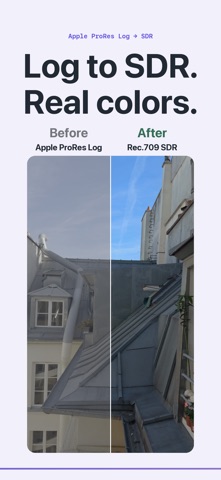
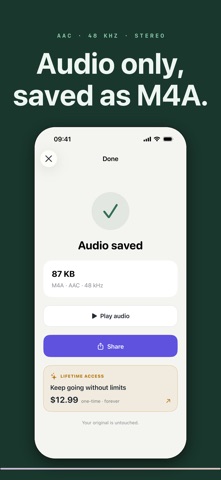
Convert Apple ProRes Log footage to an H.264 MP4 with standard Rec.709 SDR colors. Convert HEVC (H.265) video to H.264 in an MP4 file, including HEVC video that is already SDR. Choose “Convert HDR to SDR” for this compatibility conversion. HDR input is converted to standard Rec.709 SDR color. Conversion re-encodes the video; your original stays untouched. VideoFix converts video on your iPhone—no account, no upload, and no complicated export presets. Pick several videos at once, choose one clear goal, then share the finished files or save them to Photos automatically. Use VideoFix to: - Convert HDR video to standard SDR color - Convert HEVC video to an H.264 MP4 - Create a steady 24, 25, 30, or 60 FPS file for editing - Choose 4K, 1080p, 720p, or 480p output - Set an optional maximum file size - Extract audio as M4A with AAC audio - Process several videos with the same settings - Keep the original date and location when available Your first 3 conversions are free. Unlock unlimited conversions with either a one-time lifetime purchase or an auto-renewable monthly plan. Both plans unlock the same features. The monthly plan can be cancelled at any time in Apple Account settings. Processing stays on this iPhone. Your videos are never uploaded. Terms of Use: https://www.apple.com/legal/internet-services/itunes/dev/stdeula/ Privacy Policy: https://justcompress.online/apps/videofix/privacy/
What's new · 1.0.5
A clearer animated introduction to the app and an improved upgrade flow.
Details