

Peering: Remote Desktop & SSH
Damian Derlecki · Utilities
Independent analytics for this App Store listing. AppTracker is not affiliated with Damian Derlecki.
Chart standing · US
What changed · US
Listing changes AppTracker has observed for this app in this storefront — new versions, price moves, rating shifts, and store copy.
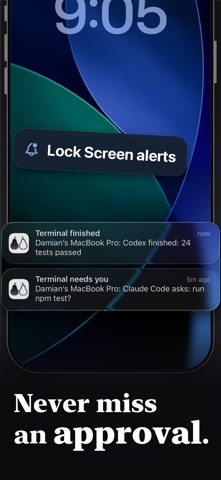
• Approve Claude Code from any terminal or editor: switch on the hooks and Allow and Deny buttons appear on your phone. • Continue a Claude Code conversation you started in a terminal, pause chats and return later, and save your own prompts. • A finished turn says what it changed and how long it took, with Continue and Reply right in the notification. • A guide for your first connection, and a warning when the connection is too poor to work over. • Share an invite code from Settings and you both get free relay time. • Every feature is now free. Only relay time away from home is limited. • Putting the app in the background no longer uses up relay time, and the joystick cursor stays in step with your Mac's pointer. • Smaller fixes and polish.
Screenshots




About
Your Mac, in your pocket. Peering connects your iPhone to your Mac, whether the two are on the same network or not. Tap to click, type from the keyboard at your desk or the one on screen, and use your Mac from wherever you are No account. Two devices confirm a six-digit code the first time and keep their own keys. Nothing is held on a server. THE PICTURE See any display the Mac is attached to, or pick a single app or one window. Switch between your Spaces by tapping the one you want. The bitrate follows the connection, so a weak link degrades instead of stalling. When the networks allow it, the session travels straight between the two devices without touching the relay. When it goes around, it is encrypted end-to-end and the relay cannot read it. DRIVING IT Touch controls the Mac like a trackpad, with a relative-pointer mode for precision and pinch-to-zoom for anything too small to tap. A physical keyboard at the desk types directly into the Mac, with the modifier keys it expects. Privacy mode dims the Mac's own displays while you work. TERMINALS AND FILES Open a terminal on your Mac or any SSH server you have saved. The file browser walks folder trees on either machine, edits text files in place, shows images as images, and runs scripts with the output where you can see it. FREE TO START Connecting over your own network is unlimited on every plan. The relay, which finds your Mac when the two devices are on different networks, is metered on the free plan. Relay, Relay Plus and Pro subscriptions remove that limit and add: sound from the Mac, Picture in Picture, file transfer both ways up to 2 GB, clipboard history, several shells open at once, macros and snippets, and the sharpest picture over the relay. Every paid plan pairs with every Mac you own. Free pairs with one. Subscriptions renew automatically until cancelled. Cancel any time in your App Store settings. Questions or suggestions: support@getpeering.app Privacy Policy: https://getpeering.app/privacy Terms of Use (EULA): https://www.apple.com/legal/internet-services/itunes/dev/stdeula/ Peering Terms of Use: https://getpeering.app/terms
What's new · 202610111
• Approve Claude Code from any terminal or editor: switch on the hooks and Allow and Deny buttons appear on your phone. • Continue a Claude Code conversation you started in a terminal, pause chats and return later, and save your own prompts. • A finished turn says what it changed and how long it took, with Continue and Reply right in the notification. • A guide for your first connection, and a warning when the connection is too poor to work over. • Share an invite code from Settings and you both get free relay time. • Every feature is now free. Only relay time away from home is limited. • Putting the app in the background no longer uses up relay time, and the joystick cursor stays in step with your Mac's pointer. • Smaller fixes and polish.
Details