

StepLoop: Dance Practice
seiya kawano · Health & Fitness
Independent analytics for this App Store listing. AppTracker is not affiliated with seiya kawano.
Chart standing · US
What changed · US
Listing changes AppTracker has observed for this app in this storefront — new versions, price moves, rating shifts, and store copy.
Minor improvements and stability fixes.
Screenshots


About
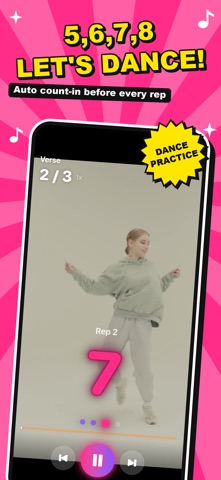
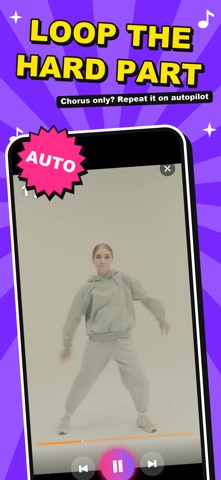
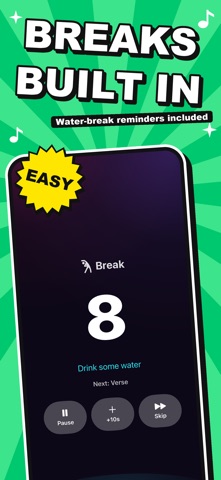
Stuck on the chorus again? StepLoop splits any choreography video into parts and loops them for you, right after a "5, 6, 7, 8!" count-in. No more scrubbing back. Just dance. WHY YOU'LL LOVE IT - Split the video wherever you want: intro, verse, chorus, you name it - Loop a part 1, 3, 5, 10 times or nonstop, with one tap - Every rep starts with a 5-6-7-8 count-in, and the screen pulses on the beat! - Slow it down to 0.5x and mirror the video to copy every step - Breaks happen on autopilot, with reminders to grab some water - Link the parts you've got down, then run the whole routine - Record yourself while you watch, then replay side by side in sync with the video - Save your take with the original song mixed in to Photos, perfect for a check before you post - Mark each part "got it!" and watch your mastery climb PERFECT FOR - K-pop, hip-hop and cover dance fans who want to master a routine - Getting ready for a recital, school festival or wedding in no time - Dance teachers who want to hand out step-by-step practice plans STEPLOOP PRO (AUTO-RENEWING SUBSCRIPTION) The free version gives you the sample video plus one choreography video, with every practice feature. Go Pro to add as many choreography videos as you like and practice all your favorite songs. - Monthly and yearly plans (yearly includes a free trial for new subscribers) - Payment is charged to your Apple Account at confirmation of purchase - Your subscription renews automatically unless canceled at least 24 hours before the end of the current period, and you are charged for renewal - Cancel anytime in Settings > Apple Account > Subscriptions YOUR PRIVACY Your videos, recordings and practice history stay on your device and are never uploaded. No account needed. GOOD TO KNOW - Recording uses the camera. The reference video plays from your device, so microphone recording starts off. - Please make sure you have the rights to the videos you import. Terms of Use (EULA): https://www.apple.com/legal/internet-services/itunes/dev/stdeula/ Privacy Policy: https://fillapps.com/privacy/
What's new · 1.1.2
Minor improvements and stability fixes.
Details