

Universal TV Remote: Styles
617SW, LLC · Utilities
Independent analytics for this App Store listing. AppTracker is not affiliated with 617SW, LLC.
Chart standing · US
What changed · US
Listing changes AppTracker has observed for this app in this storefront — new versions, price moves, rating shifts, and store copy.
Updated compatibility details for supported TVs and streaming devices.
Screenshots





About
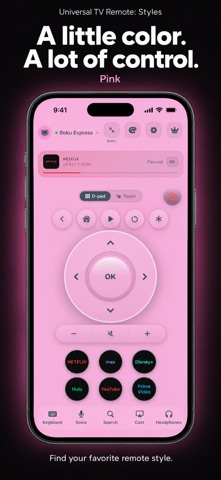
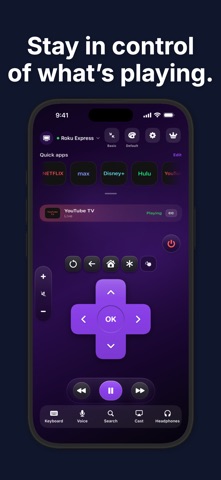
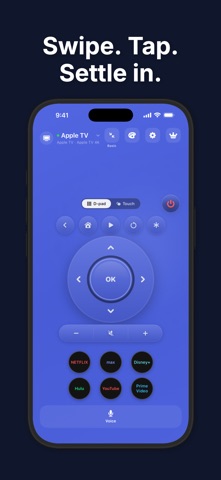
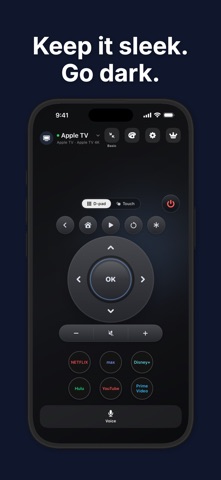
Turn your iPhone or iPad into a remote for compatible TVs and streaming players. Pair over your local network, choose a look you love, and keep the controls you use close at hand. COMPATIBLE DEVICES Works with many popular smart TVs and streaming devices, including Roku TVs and players, LG webOS TVs, Samsung Smart TVs, VIZIO SmartCast TVs, and Apple TV. Available controls vary by model and software. ONE PLACE FOR YOUR DEVICES Connect compatible smart TVs and streaming players, save your devices, and switch between rooms. Available controls depend on the device and its software. FAMILIAR CONTROLS Use a directional pad or touch navigation. Control playback, volume, mute, power, and inputs where your connected device supports them. Quick app shortcuts put your favorite streaming services within reach. 39 REMOTE THEMES Choose classic buttons, a rounded control ring, dark finishes, vibrant colors, and playful styles. Find your favorite design in the theme picker. KEYBOARD AND VOICE Use your phone's keyboard in supported TV text fields, or speak supported commands such as Home, pause, and volume up. Availability depends on the connected device and its software. DEVICE-SPECIFIC TITLE SEARCH On supported devices, search for movies and shows and open compatible results in their streaming apps. Global title search and direct title launching are available on a limited subset of supported devices. Other devices can use keyboard entry in supported on-screen search fields. Streaming services may require their own accounts or subscriptions, and title availability varies by service and region. BEFORE YOU CONNECT Your phone or tablet and the TV must be on the same local network. Allow Local Network access and follow the pairing instructions. Power-on may require a TV-side network standby or Quick Start setting. This app uses network control, not an infrared transmitter. Features vary by model, firmware, and streaming app. UNIVERSAL TV REMOTE PRO An active Pro subscription is required to use the remote and its available styles and controls. Features depend on your connected device. Choose a weekly (1 week), monthly (1 month), or annual (1 year) auto-renewing subscription. All plans provide the same Pro access. The annual plan is billed as one payment for the full year. Local prices and any eligible introductory offer are shown before purchase. Payment is charged to your Apple Account at purchase confirmation, or when an eligible free trial ends. Subscriptions renew automatically unless canceled at least 24 hours before the current period ends. Your account is charged for renewal within the 24 hours before that period ends. Manage or cancel your subscription in Apple Account settings. If offered, any unused portion of a free trial is forfeited when you purchase a subscription. Deleting the app does not cancel your subscription. Restore purchases using the Apple Account used to subscribe. Universal TV Remote is an independent app from 617SW, LLC. It is not affiliated with or endorsed by TV manufacturers or streaming services. Privacy Policy: https://617sw.com/universal-tv-remote/privacy Terms of Use: https://617sw.com/universal-tv-remote/terms Apple Standard EULA: https://www.apple.com/legal/internet-services/itunes/dev/stdeula/
What's new · 1.0.1
Updated compatibility details for supported TVs and streaming devices.
Details