

Video Trim, Flip, Reverse
Hue Nguyen · Photo & Video
Independent analytics for this App Store listing. AppTracker is not affiliated with Hue Nguyen.
Chart standing · US
In-app purchases · US
What this app sells inside itself, grouped by kind and priced for this storefront.
Screenshots


About
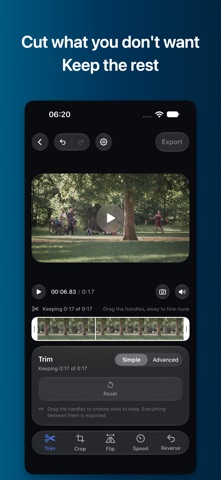
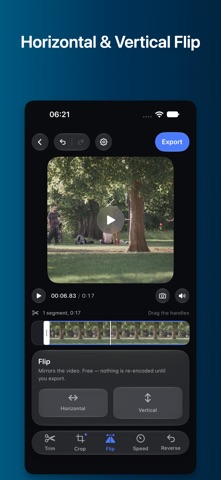
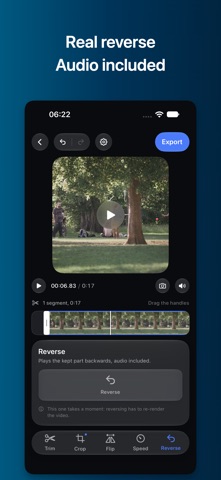
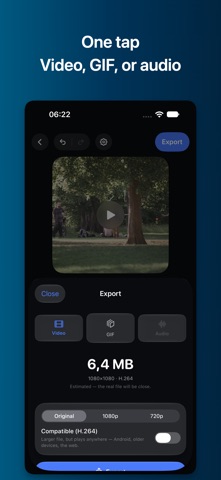
One video in, five tools, one export. No account, no watermark, no limits. TRIM — cut a clip down to the part that matters. Drag the handles or split at the playhead; delete what you don't want and the rest joins into one continuous video. CROP — 9:16, 1:1, 4:5, 16:9 or freeform. See exactly what you'll export while you frame it, never a guess. FLIP — horizontal or vertical, one tap. SPEED — 0.25x to 4x with a Keep Pitch switch, so a voice sped up doesn't turn into a chipmunk unless you want it to. REVERSE — real frame-accurate reverse, audio included, not just a visual trick. Every tool works together in a single export pass. Trim, crop, flip, speed and reverse the same clip and it renders once — you never export, reimport, and edit again. EXPORT YOUR WAY • Video (MP4) — original quality or scaled to 1080p/720p, with an H.264 compatibility switch for older devices and apps. • GIF — presets built for messaging or social, or set your own size and frame rate. • Audio only (M4A) — pull the sound out on its own. Save to Photos, share directly, or save to Files. PRIVACY BY DESIGN No account, ever. Nothing is uploaded — every edit happens on your device, and nothing you import is kept after you export. No third-party trackers or ad SDKs. FREE TO USE Every tool above is free, with no export limit and no watermark. Advanced trim — cutting a clip into multiple pieces and dropping the ones you don't want — is a Pro feature (auto-renewing weekly or one-time lifetime purchase, with a free trial on weekly). Terms of Use: https://mygems.app/term Privacy Policy: https://mygems.app/privacy
Details