

Route Planner for Google Maps
Qvyshift LLC · Navigation
Independent analytics for this App Store listing. AppTracker is not affiliated with Qvyshift LLC.
Chart standing · US
What changed · US
Listing changes AppTracker has observed for this app in this storefront — new versions, price moves, rating shifts, and store copy.
Behind-the-scenes changes to keep things running smoothly.
Screenshots



About
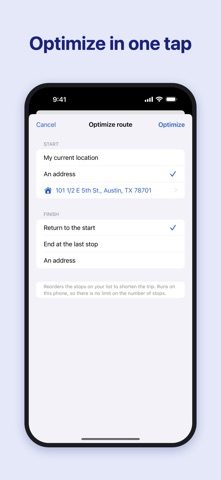
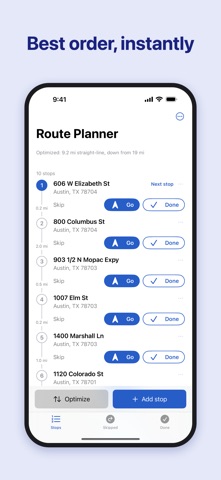
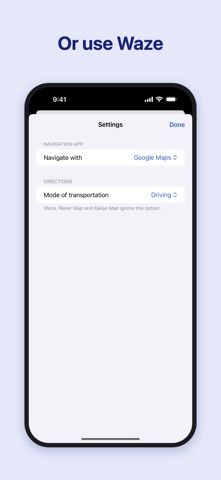
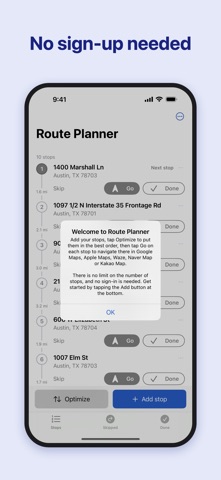
Plan multi-stop delivery, courier, and service routes, then drive them with Google Maps, Apple Maps or Waze — one stop at a time, with no limit on the number of stops. Route Planner is a checklist that sits beside your navigation app. Add your addresses, tap Optimize, and the stops are put in a sensible order right on your iPhone. Then tap Go on the next stop: Google Maps, Apple Maps or Waze opens in turn-by-turn navigation to just that address. When you arrive, mark it done and the next stop moves to the top. • No stop limit — 10 stops or 200, optimization runs on your iPhone • Works anywhere in the world, in your language • No subscription, no sign-in, no tokens • Google Maps, Apple Maps or Waze, your choice • Skip stops, add notes, undo mistakes • Save routes and reopen them any day • Start from your current location or any address; end back at the start, at the last stop, or at an address you choose How it works Route Planner orders stops by straight-line distance, which inside a city is very close to the shortest driving order, and it does so in a fraction of a second with nothing sent to a server. Your addresses stay on your iPhone. Made for • Delivery and courier drivers • Field service and repair technicians • Sales reps and canvassers • Real-estate showings, home health visits, errands with lots of stops Route Planner works with Google Maps, Apple Maps or Waze on your iPhone. It does not replace them — it keeps your list organized while they do the driving directions.
What's new · 2.1.0
Behind-the-scenes changes to keep things running smoothly.
Details