

ExvoxAI: Voice to Text
Ahmed Ouzini · Productivity
Independent analytics for this App Store listing. AppTracker is not affiliated with Ahmed Ouzini.
Chart standing · US
What changed · US
Listing changes AppTracker has observed for this app in this storefront — new versions, price moves, rating shifts, and store copy.
ExvoxAI is now free. • Use ExvoxAI without paying anything, with limits: 2 minutes per recording, 10 minutes per day. • ExvoxAI Pro lifts every limit: a yearly subscription (with a free trial) or a monthly one, or a one-time lifetime purchase. One purchase for both Mac and iPhone. • Already bought ExvoxAI? Pro is yours for life, with nothing to do.
Screenshots



About
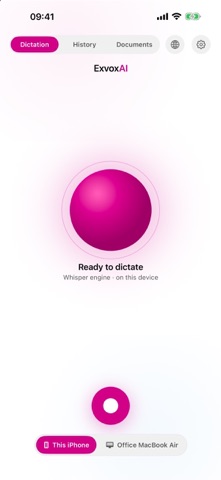
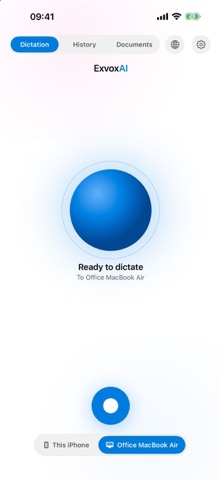
Speak. ExvoxAI writes. A dictation and transcription app that runs entirely on your device. No account, no server: your voice never leaves your Mac or your iPhone. Free to start, ExvoxAI Pro to go further. THREE WAYS TO RECORD DICTATION — You speak, the text appears. A keyboard shortcut starts dictation from any app; the text lands on the clipboard, ready to paste. MEETING — Everyone is in the room. The microphone is enough. With Pro, voices are separated automatically: every turn is labelled with who said it. VIDEO CALL (Pro, on Mac) — Teams, Zoom, Meet. ExvoxAI records your Mac's sound AND your microphone, on two separate tracks. You and the people you talk to never get mixed up in the notes. WHO SAID WHAT (Pro) Voice separation tells speakers apart and assigns every sentence. Wrong count? One click on the right number redoes the separation. Two voices are really the same person? Merge them in one click. Name anyone you like: the names carry through to the export. YOUR IPHONE BECOMES YOUR MAC'S MICROPHONE Pair the two devices once. Dictate on your iPhone, the text appears on the computer. The link stays on your local network. NOT JUST AUDIO Drop in an image or a PDF: ExvoxAI extracts the text, keeping columns and paragraphs. On iPhone, the camera scans a document directly. WHAT'S IN THE BOX • Two transcription engines to choose from, both on the device • 35 languages • Import MP3, MP4, WAV, M4A, FLAC, OGG, MOV, MKV • Export as text; with Pro, as Markdown, PDF, SRT, and Word on Mac • AI summaries (Pro): Apple Intelligence on iPhone, or your own OpenAI or Anthropic key. On Mac, document translation too, and a model running on your own machine (Ollama) if you'd rather nothing leaves • Custom vocabulary on Mac (Pro): set the spelling of names and the words of your trade • Two-language translated conversation on iPhone • Light and dark themes, English and French FREE • Dictation and meetings: 2 minutes per recording, 10 minutes per day • File import: the first 2 minutes • 3 images or PDFs read per day • On iPhone: 3 minutes of translated conversation per day, 3 minutes at a time to the Mac • Your history, playback and copying stay free, always EXVOXAI PRO Every limit lifted, video calls, voice separation, exports, AI and custom vocabulary. Your choice: a yearly subscription (with a free trial) or a monthly one, renewed automatically and cancellable anytime in your App Store settings, or a one-time lifetime purchase. One purchase covers both Mac and iPhone. Bought ExvoxAI before it became free? Pro is yours for life, with nothing to do. WHAT EXVOXAI DOES NOT DO No analytics. No trackers. No account. If you turn on no AI feature, none of your content leaves the device; the only exchange is the App Store checking whether you are Pro. Terms of Use: https://www.apple.com/legal/internet-services/itunes/dev/stdeula/ Privacy: https://exvoxai.inv0lv3.com/en/privacy.html Requirements: macOS 15 or later on Apple silicon Macs, iOS 26 or later on iPhone.
What's new · 1.2.0
ExvoxAI is now free. • Use ExvoxAI without paying anything, with limits: 2 minutes per recording, 10 minutes per day. • ExvoxAI Pro lifts every limit: a yearly subscription (with a free trial) or a monthly one, or a one-time lifetime purchase. One purchase for both Mac and iPhone. • Already bought ExvoxAI? Pro is yours for life, with nothing to do.
Details