

Hero Remote for Roku
javidan salarian · Utilities
Independent analytics for this App Store listing. AppTracker is not affiliated with javidan salarian.
Chart standing · US
What changed · US
Listing changes AppTracker has observed for this app in this storefront — new versions, price moves, rating shifts, and store copy.
New name, same remote: TV Remote & Cast for Roku. - Volume and mute are now free for everyone. - A sharper look for the D-pad, the tab bar and the Apple Watch keys. - New screenshots and a store listing in more languages. - Small fixes.
Screenshots


About
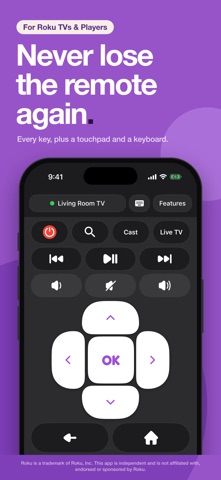
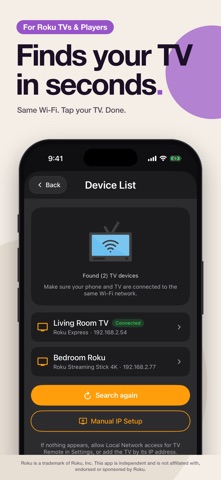
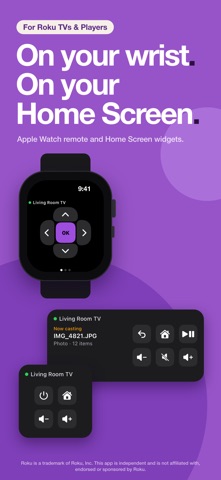
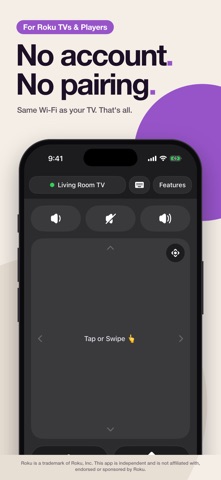
The remote that came with your TV is under a cushion again. Your phone isn't. TV Remote & Cast for Roku turns your iPhone into a complete remote for Roku TVs and Roku streaming players: every navigation and playback key, volume and mute, a touchpad, a keyboard, and on Roku TVs the power, input and channel keys too. With Remote Pro you can also cast your own photos, videos, music, IPTV streams and compatible web videos to the TV. It finds your Roku device on Wi-Fi by itself, or you can enter its IP address. No pairing, no account. Just make sure "Control by mobile apps" is enabled on your TV or player (see BEFORE YOU START). THE REMOTE (FREE) - Navigate, play, pause, skip, rewind, search, go home or back, open Live TV - Volume up, volume down and mute - Touchpad: swipe to move, tap for OK, or switch it to a D-pad - Keyboard: type straight into the TV's on-screen keyboard, passwords included - Channels: every channel on your device is one tap away, favorites on top CAST PHOTOS, VIDEOS AND MUSIC (REMOTE PRO) Pick photos, videos or songs on your iPhone and they play on the TV in seconds. - One item at a time, or up to 50 as a slideshow or playlist - Casting Controls appear the moment you send something: play/pause, skip, volume, restart - Photo albums show live progress, such as "Photo 3 of 12", in step with the TV - Your files stay on your devices: they stream straight from your phone to your TV over your own Wi-Fi APPLE WATCH AND HOME SCREEN WIDGETS Apple Watch: navigation, playback and volume on your wrist, relayed through your iPhone. Home Screen widgets: your TV's name and the keys you reach for most, without opening the app. IPTV AND WEB VIDEO CASTING (REMOTE PRO) Paste your own stream URL or open your own M3U playlist and watch compatible streams on the TV. Browse the web inside the app and, when a compatible video is detected, tap Cast to send it to the TV. Nothing is downloaded or saved. DRM-protected services such as Netflix, YouTube, Disney+, Prime Video and Spotify cannot be cast this way; use their official channels on the TV instead. The app does not provide, sell or recommend channels or playlists. You are responsible for having the right to watch what you stream. Casting uses CastHero App, our own free channel in Roku's Channel Store. The app helps you add it with two OK presses on the TV. BEFORE YOU START On the TV or player, open Settings > System > Advanced system settings > Control by mobile apps > Network access and choose Enabled (Default on older software). If your device reports "Limited mode", the app shows you these steps. REMOTE PRO The remote, volume and keyboard are free. Remote Pro removes ads and unlocks all casting features: a weekly, monthly or yearly subscription, or a one-time lifetime purchase. The monthly plan starts with a 3-day free trial and the yearly plan with a 7-day free trial; after the trial the subscription renews at the price shown unless canceled at least 24 hours before the trial ends. Subscriptions renew automatically unless canceled at least 24 hours before the end of the current period; manage or cancel them in your Apple ID settings. Terms of Use (EULA): https://www.apple.com/legal/internet-services/itunes/dev/stdeula/ Privacy Policy: https://casthero.app/remote/privacy PRIVACY No account, no sign-up, no files uploaded. The free version shows ads; Remote Pro removes them. Usage statistics and crash reports help us improve the app. DISCLAIMER AND TRADEMARKS TV Remote & Cast for Roku is an independent app and is not affiliated with, endorsed by or sponsored by Roku, Inc. Roku and Roku TV are trademarks or registered trademarks of Roku, Inc. in the United States and other countries, used solely to describe compatibility with Roku devices. Other names are trademarks of their respective owners. This is an unofficial virtual remote and does not replace a physical remote.
What's new · 1.1.1
New name, same remote: TV Remote & Cast for Roku. - Volume and mute are now free for everyone. - A sharper look for the D-pad, the tab bar and the Apple Watch keys. - New screenshots and a store listing in more languages. - Small fixes.
Details