

Recibo - Receipt Tracker
Feynman EinsteinAI Note Taker OU · Utilities
Independent analytics for this App Store listing. AppTracker is not affiliated with Feynman EinsteinAI Note Taker OU.
Chart standing · US
What changed · US
Listing changes AppTracker has observed for this app in this storefront — new versions, price moves, rating shifts, and store copy.
Bug fixes and performance improvements.
In-app purchases · US
What this app sells inside itself, grouped by kind and priced for this storefront.
Screenshots

About
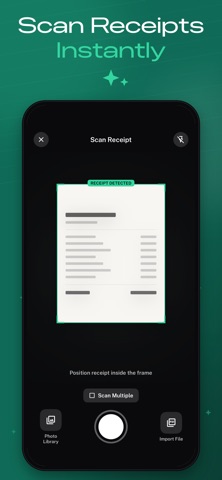
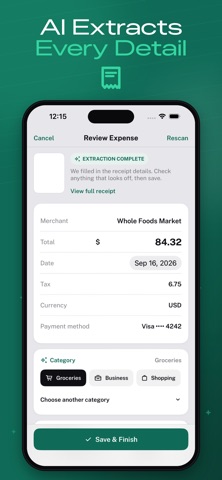
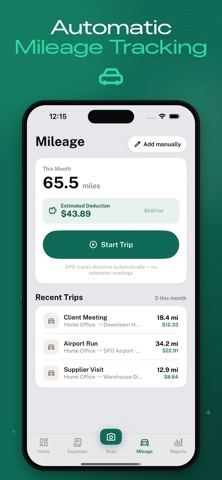
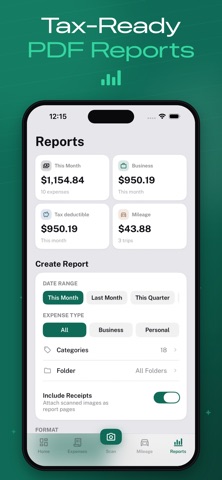
Turn a pile of receipts into organized, tax-ready records in seconds. Recibo scans your receipts with your camera or photo library, and AI instantly extracts the merchant, amount, date, tax, and category — no manual typing. Review the results, correct anything at a glance, and save. SCAN & TRACK EXPENSES • Snap a photo or import from your library — 1 to 10 receipts at once • AI-powered scanning reads merchant, total, date, tax, and payment method • Categorize and mark expenses as business or personal • Search, filter, and organize expenses into folders AUTOMATIC MILEAGE TRACKING • Log business trips with GPS-based distance tracking • Automatic per-mile deduction calculation • Add trips manually anytime TAX-READY REPORTS • Generate PDF expense and mileage reports for tax season or reimbursement • Export to CSV for spreadsheets or backup • Track deductible totals, missing receipts, and spending trends at a glance PRIVATE BY DESIGN Your receipts and expense data are stored locally on your device, not on a server. Export a CSV backup, with receipt photos included, any time you switch phones. FREE TO USE Manual expense entry, mileage tracking, receipt scanning and review, and CSV export are all free and unlimited. Your first saved scanned receipt is free. RECIBO PRO Unlock unlimited saved scanned receipts and PDF tax/expense report export with a Recibo Pro subscription. • Weekly and yearly auto-renewing subscription options • Payment is charged to your Apple ID account at confirmation of purchase • Subscription automatically renews unless auto-renew is turned off at least 24 hours before the end of the current period • Manage or cancel anytime in your Apple ID account settings • Terms of Use (EULA): https://www.apple.com/legal/internet-services/itunes/dev/stdeula/
What's new · 1.0.2
Bug fixes and performance improvements.
Details