

Magic Pie
朋亮 杨 · Graphics & Design
Independent analytics for this App Store listing. AppTracker is not affiliated with 朋亮 杨.
Chart standing · US
In-app purchases · US
No in-app purchases.
Screenshots



About
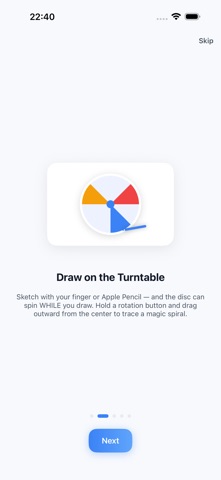
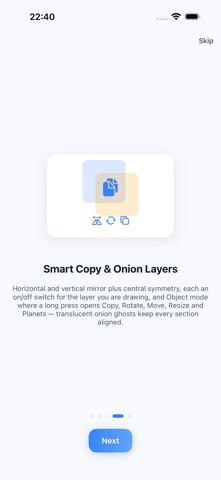
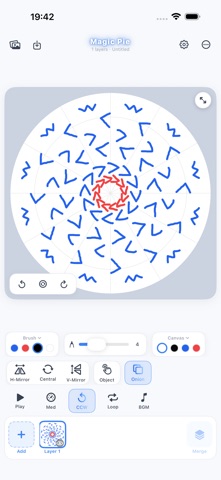
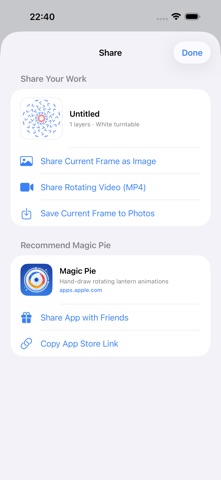
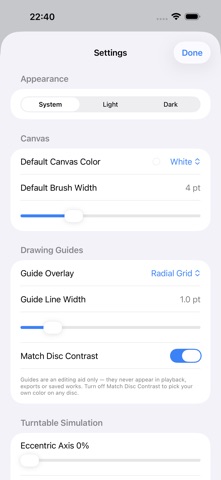
Magic Pie turns your iPhone or iPad into a spinning turntable art studio. Paint on a disc that rotates under your finger, build the picture layer by layer, then press play and watch the whole thing turn into a glowing carousel lantern. It is the classic spin-art machine, rebuilt for touch and Apple Pencil. THE IDEA A real disc painting is one disc that spins around its center - the rotation itself is the animation. Magic Pie keeps that idea exactly: you draw sections of a single disc in stacked layers, and playback merges them into one finished disc that rotates like a magic lantern. DRAW ON A SPINNING DISC - Hold the rotation buttons or tap Auto and the disc turns while you draw. Your strokes are locked to the disc, not the screen, so a slow drag from the center outward becomes a perfect involute spiral. - Use two fingers to twist the disc by hand, exactly like rotating a photo. - Every finger is an independent pen: rest two or three at different distances from the center and trace interleaved spirals at once. SMART SYMMETRY AND OBJECT TOOLS - H-Mirror, V-Mirror and Central are per-layer switches: flip or turn the whole layer, and every stroke you draw afterwards is mirrored too. - Long-press any object to open the Object menu: Copy, Rotate, Move, Resize, Planets, Central and Near By. - Planets spreads copies evenly around the center. Near By builds a left/right symmetric row at the angle you choose. Every edit and every batch is a single undo step. LAYERS AND ONION SKIN - Each new layer stacks on top of your previous work and is numbered in the strip; lower layers show through as translucent onion ghosts so you can align each section precisely. - Press and hold a layer to drag it into a new order, hide it with its eye button, or open its menu to duplicate, move, rotate, offset or delete it. - Tap Merge, tick the layers you want and tap Sure: they flatten into a single layer - and the whole merge is one Undo step. - Every change autosaves, so your disc is exactly where you left it. PLAYBACK AND MAGIC BGM - Three speed gears, loop or single cycle, and four built-in background loops whose tempo follows the rotation speed. - Add your own music from the Files app. Rotation and music start and stop together. EXPORT AND SHARE - Export an MP4 video of the finished disc at 720, 1024 or 1440, an animated GIF, or a crisp PNG still. Always watermark-free. - Save to Photos, or send it anywhere with the system share sheet. ON THE BIG SCREEN - Connect an Apple TV or any AirPlay display and the App mirrors the LIVE disc: the big screen shows only the spinning artwork while every control stays on your device. - Your in-flight strokes appear on the big screen as you make them, and your layers, onion ghosts, turntable color and disc simulation all follow along. - Your device is kept awake while mirrored and a small TV badge shows the connection. Screen recording and AirPlay cannot run at the same time, so REC is disabled while a display is connected. BUILT FOR iPHONE AND iPAD - Twelve turntable colors, twelve painting colors, a 1-12 pt brush, Apple Pencil pressure sensitivity, and a light or dark interface. - One universal app: the same studio on iPad and on iPhone, where the toolbars fold into extra rows to fit the smaller screen. - Autosave keeps your draft exactly where you left it. PRIVATE BY DESIGN - No account, no sign-in, no ads, no analytics, no tracking, no subscription. - Magic Pie works completely offline. Your drawings and imported music stay on your device. - The only permission it ever asks for is add-only photo access, so it can save your export to Photos. Whether you want a calming geometric mandala, a kaleidoscope of color, or a spinning lantern animation to share with friends, Magic Pie makes every turn of the disc a small piece of magic.
Details