

Daywright: Personal Planner
Jason Grant · Productivity
Independent analytics for this App Store listing. AppTracker is not affiliated with Jason Grant.
Chart standing · US
Screenshots



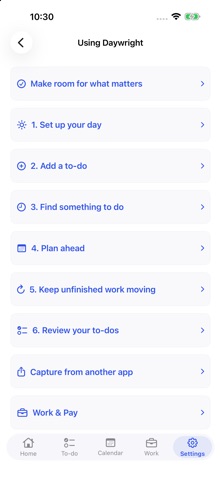
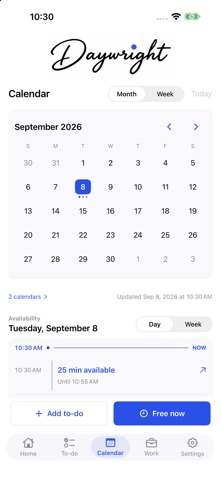

About
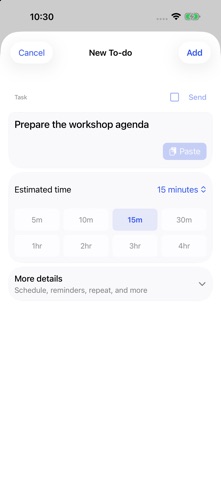
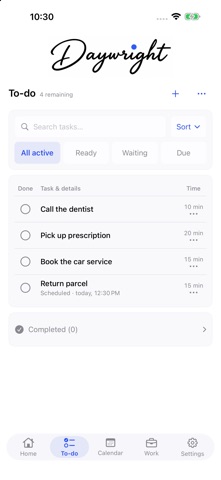
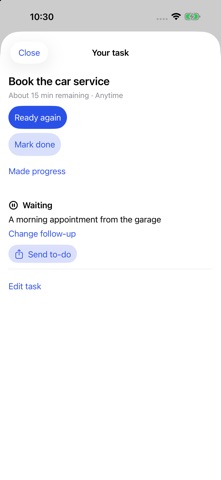
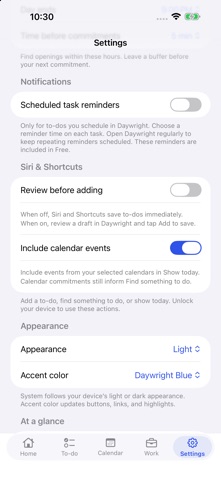
Something to do. Time to do it. Daywright brings your to-dos, chosen device calendars and work shifts into one personal planning space. Capture what needs doing, choose a time, and keep track of where you leave off. START WITH DAYWRIGHT FREE Create up to five active personal to-dos. Edit and complete existing work, choose a manual start, use ordinary repeats and reminders, add manual work shifts, and review drafts shared from other apps. Completed to-dos, received copies and generated repeat occurrences do not count toward the allowance. Use Siri Add a to-do and Show today, quick add and widgets. ADD TIME-FIT PLANNING WITH PLUS Daywright Plus removes the active-task cap and adds suggestions for the time you have, structured progress and waiting follow-ups, optional Nearby reminders, work templates and rotations, pay inputs, private-link sending, and Live Activities. Nothing is scheduled until you choose it. Saved information and Free actions remain usable after Plus expires. WORK IN THE SAME DAY Keep scheduled shifts, actual worked hours, gross estimates and manually recorded payments distinct. New or unset pay periods start today. Choose Weekly, Every 2 weeks, Twice a month or Monthly. Showing pay on Home starts off; optional hidden amounts use tap-to-reveal, not Face ID. Estimates are not payroll, taxes or take-home pay. SEND AN INDEPENDENT COPY With Plus, deliberately create a private link for a to-do or shift when the service is available. Choose the details to include. Recipients review and save their own copy for free. Changes do not sync between copies. Anyone with the full link can read the selected details, and stopping access cannot recall copies already saved. Sharing a shift does not arrange coverage automatically. YOUR CALENDARS STAY YOURS Calendar access is optional and read-only. Daywright does not create, edit or delete source events. Tasks and Work records stay on this device except for copies you explicitly share. No separate Daywright account, direct Google sign-in, iCloud task sync or Apple Watch companion is included in this version. CLOSE AT HAND Use widgets, Siri and Shortcuts. Plus Live Activities follow a scheduled task without completing it automatically. Widget and Live Activity titles have separate privacy controls. Quick controls require iOS 18 or later and a supported device. SUBSCRIPTIONS Monthly and annual Daywright Plus subscriptions are offered through Apple. The app shows each plan's localized price, duration, eligible trial and included services before confirmation. Subscriptions renew automatically unless canceled at least 24 hours before the current period ends. Manage or cancel in your Apple Account settings; Restore Purchases is available in Settings → Subscription. Privacy Policy: https://aroundfindout.com/daywright/privacy/ Terms of Use (Apple standard EULA): https://www.apple.com/legal/internet-services/itunes/dev/stdeula/
Details