

Password Manager: My Passwords
Erkan Molla · Productivity
Independent analytics for this App Store listing. AppTracker is not affiliated with Erkan Molla.
Chart standing · US
What changed · US
Listing changes AppTracker has observed for this app in this storefront — new versions, price moves, rating shifts, and store copy.
- Safer backup restore: damaged backups are refused - Fixed a crash after restoring a damaged backup
Screenshots



About
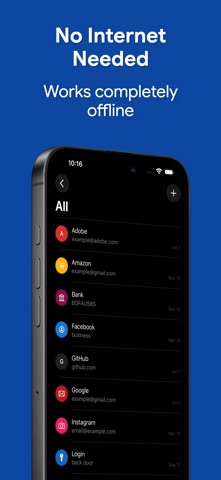
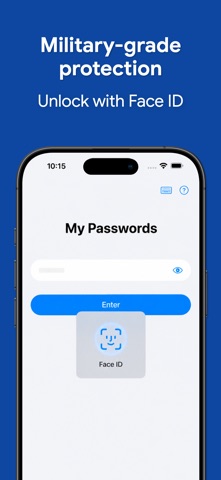
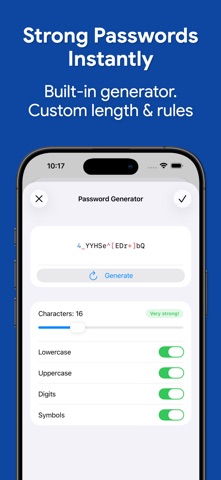
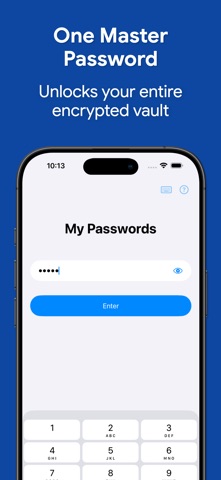
My Passwords is an offline password manager built for privacy. Your encrypted vault stays on your device — no cloud, no tracking, no accounts to create. AES-256 encryption, biometric unlock, passkeys, and built-in 2FA codes keep every login safe and instantly accessible. Tired of password reset emails? Worried your data could leak from a hacked cloud service? My Passwords stores your logins, passkeys, 2FA codes, secure notes, and cards in a highly encrypted vault, accessible only with your master password. Unlike cloud-based managers, your data never leaves your device, ensuring strong security with no internet access required. Key Features • AES-256 encryption – The gold standard for data security • Offline & private – the app makes zero network connections, ever • Autofill – One-tap sign-in for apps and websites • Quick & easy access – Simplify login management • Backup & restore – Securely transfer data between devices • Built-in password generator – Create strong passwords instantly • Auto-lock – Set your own delay, from instant to 10 minutes, or never • Unlimited entries – Store all your logins with ease • Light/Dark appearance – automatically follows your iPhone's system setting PRO Features • Passkeys – Store and use modern phishing-resistant credentials, offline • Biometric unlock – Fingerprint & face authentication • One-Time Passwords (OTP) – Built-in authenticator for 2FA accounts • Password history – Track previous passwords • Self-destruction – Extra security in case of attacks • Custom fields – Store additional details for each entry • Clipboard auto-clear – Prevent leaks • CSV import & export – Seamless migration and backup • PDF export & print – Save and print your passwords securely • Image attachments – Store visual credentials • Unlimited labels – Organize your way Choose Your Pro Plan Two ways to unlock every Pro feature — pick whichever fits you: • Lifetime – One-time purchase, yours forever, no recurring charges • Monthly or yearly subscription – Lower upfront cost, cancel anytime What are passkeys? Passkeys are the modern, phishing-resistant alternative to passwords. Instead of a string you can forget or reuse, your account uses a cryptographic key — stored safely in your My Passwords vault. Fully offline, fully under your control, no third-party sync required. Security You Can Trust Your data is protected with AES-256 encryption, a widely trusted industry standard. Need a strong password? Generate one instantly with the built-in tool. Backup & Restore Easily transfer your data across devices using local storage or apps like Dropbox and Google Drive. Just create a backup and restore it using your master password. Important Notes • My Passwords is an offline password manager. Data is not automatically synced between devices. • Lost Master Password? Your data cannot be recovered. Please choose and remember your master password carefully. Terms of Use: https://www.apple.com/legal/internet-services/itunes/dev/stdeula/
What's new · 26.10.31
- Safer backup restore: damaged backups are refused - Fixed a crash after restoring a damaged backup
Details