

AR Kalka
PAWEŁ KANDYBOWICZ · Graphics & Design
Independent analytics for this App Store listing. AppTracker is not affiliated with PAWEŁ KANDYBOWICZ.
Chart standing · US
Screenshots



About
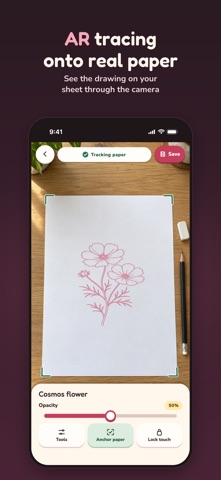
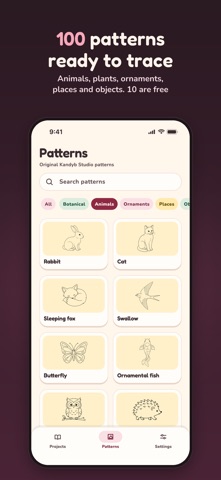
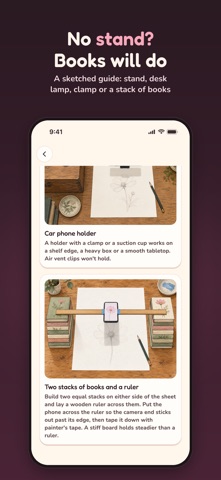
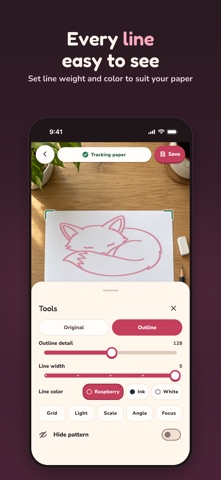
Place a reference image over your camera preview and trace it onto paper. Your drawing surface and the reference appear together on the display. AR Kalka does not project an image onto the paper. Secure your iPhone or iPad above the drawing surface. The app shows you how to mount it, including with things you already have at home. Choose a pattern or import your own image. Move, rotate and resize the overlay to fit. Adjust its opacity so you can see both the reference and the paper. Use outline mode with adjustable detail, line width and color, a grid and a flashlight where your device supports it. Touch lock prevents accidental movement. Projects and image settings are saved on your device. After you mark its four corners, the app can track a flat drawing surface. Tracking needs visible detail and good lighting. If the app loses the surface, it hides the overlay and lets you align it again. The phone still needs a stable mount. Try every drawing tool free with ten patterns and save one project with each of them. The full version lets you import your own images, use the complete library of 100 included patterns and save multiple projects. It is a one-time purchase with no subscription or advertising. The App Store shows the current price before purchase. Your images and projects stay on your device. The drawing tools do not need an internet connection or an AR Kalka account. Purchases and restores use the App Store and need an internet connection. Restoring requires the same App Store account. The app does not provide cloud backup, so keep a separate copy of important source images. The interface is available in 15 languages.
Details