

PoseKit: Quick 3D Mockup
尉卿 褚 · Developer Tools
Independent analytics for this App Store listing. AppTracker is not affiliated with 尉卿 褚.
Chart standing · US
What changed · US
Listing changes AppTracker has observed for this app in this storefront — new versions, price moves, rating shifts, and store copy.
• Clearer Imports: Importing an image now shows a loading indicator, so it no longer looks stuck while the original downloads from iCloud. You can cancel at any time. • Import Errors: Fixed an issue where the error message sometimes didn't appear when an import failed. • Onboarding: Fixed an issue where the screenshot you chose during the tour was lost if you skipped the rest of it.
Price & rating history · US
Reconstructed from the listing changes AppTracker has observed in this storefront. A field is charted once it has changed more than once, and each line starts at the value it moved from.
Average rating · ★ 3.00 now · 4 changes on record
Ratings breakdown · US
The star breakdown behind this app's rating in this storefront.
In-app purchases · US
What this app sells inside itself, grouped by kind and priced for this storefront.
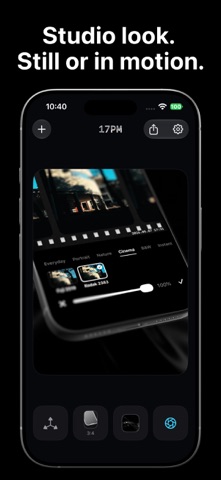
Screenshots


Similar apps
Competitors and close alternatives, as estimated by AppTracker.
 Protato: 3D Mockup Generator
Phuc Tran Bao
Protato: 3D Mockup Generator
Phuc Tran Bao
 Animock: 3D Mockup Animator
Hassan Taleb
Animock: 3D Mockup Animator
Hassan Taleb
 Frame Mockup Screen
Dywtal Digital
Frame Mockup Screen
Dywtal Digital
 Mockup & Demo Maker: Screeny
Lazare Kolebka
Mockup & Demo Maker: Screeny
Lazare Kolebka
 Mocketa: 3D Mockups
FURKAN KAFADAR
Mocketa: 3D Mockups
FURKAN KAFADAR
 Screenshot Studio - App Mockup
Sarun Wongpatcharapakorn
Screenshot Studio - App Mockup
Sarun Wongpatcharapakorn
 PromoShot: Screenshot to Video
MOCHA, LIMITED LIABILITY CO.
PromoShot: Screenshot to Video
MOCHA, LIMITED LIABILITY CO.
 Store Screenshot Maker
袁杰 张
Store Screenshot Maker
袁杰 张
About
PoseKit turns your screenshots and screen recordings into polished 3D mockups and demo videos — built for iOS developers who want to show off their app fast. Import a screenshot or a screen recording and drop it onto a photorealistic 3D iPhone. Rotate the device, pick a pose, set a background, and export a studio-quality image or video in seconds. KEY FEATURES • Photorealistic 3D devices — iPhone 17, iPhone 17 Pro, iPhone 17 Pro Max, and iPhone Air in every color • Live 3D preview — orbit, zoom, and frame the perfect angle with camera presets • Lens Blur — a real depth-of-field effect that focuses attention on the exact detail you want, with adjustable focus distance, range, strength, and direction • Follow Motion — tilt your phone and the mockup follows the movement in real time • Images & videos — import screenshots or screen recordings and trim video right on the device • Clean screen recordings — automatically removes the red screen-recording dot from the Dynamic Island in imported screen recordings • Backgrounds — transparent, solid, gradient, or bundled studio scenes • Social-ready sizes — 1:1, 4:5, 3:4, 9:16, 16:9, and more • Pro exports — PNG/JPEG up to 3x, MP4 (H.264) or MOV with alpha (HEVC), 1080p/2K at 30 or 60 fps • 100% on-device — your media never leaves your iPhone Whether you're building an App Store page, a landing page, or a social post, PoseKit helps you present your app's details clearly and quickly.
What's new · 1.3.1
• Clearer Imports: Importing an image now shows a loading indicator, so it no longer looks stuck while the original downloads from iCloud. You can cancel at any time. • Import Errors: Fixed an issue where the error message sometimes didn't appear when an import failed. • Onboarding: Fixed an issue where the screenshot you chose during the tour was lost if you skipped the rest of it.
Details