

Block It! - Block Apps & Focus
Tingogo Inc · Health & Fitness
Independent analytics for this App Store listing. AppTracker is not affiliated with Tingogo Inc.
Chart standing · US
What changed · US
Listing changes AppTracker has observed for this app in this storefront — new versions, price moves, rating shifts, and store copy.
• A new guided setup helps you create your first Rule. • A redesigned Pro screen makes plans, trial eligibility, and renewal details clearer. • Added a Refresh button when Screen Time reports remain stuck loading. • Improved app startup and blocking reliability. Thanks for using Block It! If it helps you make more time for what matters, consider leaving a rating or review. Your feedback helps us improve.
Screenshots




About
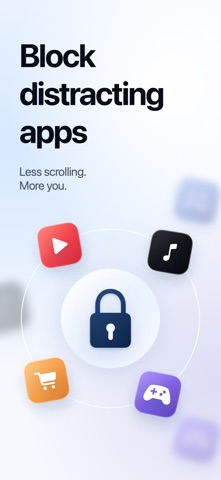
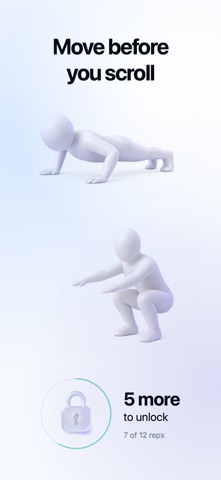
Stop mindless scrolling. Build intentional screen time. We’ve all been there: you pick up your phone for a quick check, and thirty minutes disappear into endless feeds. You want help stepping away, without giving up the apps you need. Block It! helps you find that balance. Block distracting apps and websites, protect your focus, and choose how to handle the urge before you unlock—with a short pause, a little movement, or a timed break. ◆ BLOCK DISTRACTIONS, KEEP ESSENTIALS • Block distractions: Choose the apps and websites you want to block, such as social media, video feeds, games, or news. • Keep essentials: During focused time, allow only the apps you need, such as navigation, notes, or work messaging, while other supported apps stay blocked. ◆ 3 WAYS TO FIT YOUR ROUTINE • Focus Timer: Start an on-demand block for deep work, reading, or study sessions—for example, 25 or 45 minutes. • Automated Schedules: Set aside focused time around your regular routine—protect your work mornings, family dinners, or bedtime. • Daily Allowances: Give yourself a daily time budget for selected apps—for example, 20 minutes of social media a day. Those apps are blocked automatically when the allowance is reached. ◆ PAUSE BEFORE YOU UNLOCK Choose a cooldown or guided breathing before temporary access, complete camera-counted squats or pushups, take a timed Quick Break, or disable breaks. Blocking resumes when access ends if the Rule is still active. ◆ SEE YOUR PROGRESS Manage your blocks in Rules, explore Screen Time in Insights, and find preferences in Settings. • View today's Screen Time, the last seven days, and Day, Week, or Month reports. Browse available past periods with Pro. • Choose apps to exclude from Block It! reports. This changes only these reports, not Apple's Screen Time totals, blocking Rules, or Daily Limits. • In Activities, review completed breathing and cooldown durations and squat and pushup repetitions by week, month, or year. ◆ YOUR PRIVACY MATTERS Your attention is personal, and so is your data. • On-Device Movement Counting: Camera video used to count your squats and pushups is processed on your device. • Local Settings: Your blocking setups and settings stay on this device. Only completed action history can sync through your private iCloud account when available. Start with the app that distracts you most. Make more time for the things you want to do. Some features require a Pro subscription. Privacy Policy: https://blockit.tingogo.com/privacy/ Terms of Use: https://www.apple.com/legal/internet-services/itunes/dev/stdeula/
What's new · 1.4
• A new guided setup helps you create your first Rule. • A redesigned Pro screen makes plans, trial eligibility, and renewal details clearer. • Added a Refresh button when Screen Time reports remain stuck loading. • Improved app startup and blocking reliability. Thanks for using Block It! If it helps you make more time for what matters, consider leaving a rating or review. Your feedback helps us improve.
Details