

OneBoard: Simple Kanban
Yingtao Guo · Productivity
Independent analytics for this App Store listing. AppTracker is not affiliated with Yingtao Guo.
Chart standing · US
What changed · US
Listing changes AppTracker has observed for this app in this storefront — new versions, price moves, rating shifts, and store copy.
Screenshots




About
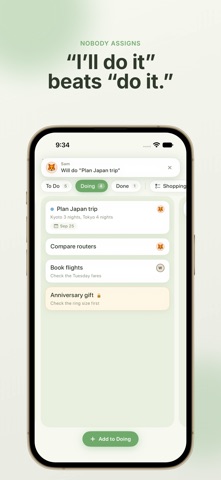
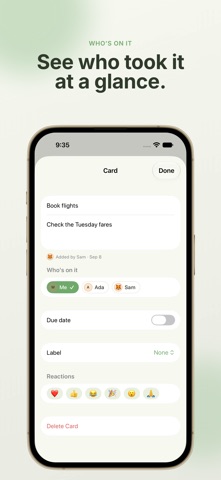
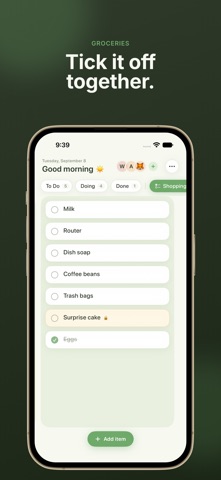
One Board is one shared board for two people. Open it and start writing cards. There is no workspace to set up, no team to manage, and no account to create. Your cards live in your own iCloud, and your partner sees them in theirs. WRITE IT DOWN. CLAIM IT. SAY THANKS. • Write down a thing that needs doing. • Your partner taps "I'll do it" and claims it. Nobody gets assigned; people volunteer. • When a card is finished, the person who wrote it gets a nudge and can answer with a heart, a thank-you or a cheer in one tap. • Add an optional intent to a card — a little help, together, no rush, or it matters to me — so the tone behind it comes across without a conversation. A BOARD, NOT ANOTHER LIST • Columns and cards you drag with a finger. • On iPad the whole board is on screen at once, in any orientation; on iPhone, one column at a time. • Checklist columns for groceries and packing, with a satisfying tick — and leaves over the board when the last item goes. • Due dates, colour labels, and a face on every card that shows who is on it. • Archive finished cards and bring them back any time. BUILT FOR TWO • One board, shared through iCloud. No servers, no sign-up, nothing to subscribe to. • Changes reach your partner's phone on their own, and both of you can keep working offline. • Reactions and "done" notifications go straight from one phone to the other. • Keep a card private. It stays on your phone and never syncs. ALSO • Home Screen and Lock Screen widgets that show what's next and let you tick checklist items without opening the app. • Export your whole board as JSON at any time. It is your data. One Board is made by a couple who wanted something lighter than a team tool and calmer than a chat. Two people, one board.
What's new · 1.4
Inviting someone now happens on a page that looks like the rest of the app, and the board says so when there is no iCloud behind it. • Invite: a page of One Board's own shows who is on the board, with one green button to send the invitation. The system share sheet appears only at the moment you choose how to send it. From the same page you can remove a member, or stop sharing altogether — everyone else loses the board, and your cards stay exactly where they are. If you joined someone else's board, this is also where you leave it. • When the phone has no iCloud account, the header says "Not syncing" where "Syncing…" would be, and explains that the board is only on this device until you sign in. Before, a board that never left the phone looked exactly like one that did. • The line that says some changes have not reached iCloud now tries again when you tap it, which is usually all it takes once whatever refused them has been sorted out.
Details