

QR Pro: Scanner & Generator
Siddhartha Joshi · Utilities
Independent analytics for this App Store listing. AppTracker is not affiliated with Siddhartha Joshi.
Chart standing · US
What changed · US
Listing changes AppTracker has observed for this app in this storefront — new versions, price moves, rating shifts, and store copy.
• Wi-Fi QR codes: join the network right from the scan, or copy the password • Contact & event QR codes: add to your contacts or calendar, every field filled in • Safer scanning: see the website a link really opens, with warnings for phishing tricks • History: star favourites, search, and filter by type • Share any screenshot or photo to QR Scanner to read its code • Add your own logo to a QR code — remembered for next time
Screenshots





About
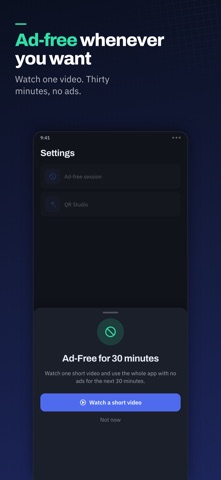
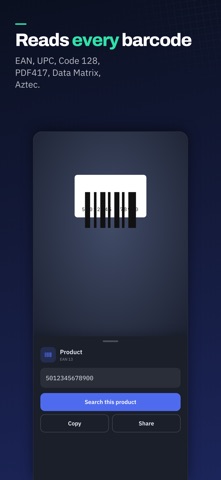
Point your camera at any QR code or barcode and QR Pro reads it instantly. No shutter button, no waiting, no "tap to scan". It knows what it found, too. A link offers to open. A product barcode offers to search. A Wi-Fi code shows you the network and password. Everything you scan is saved so you can find it again later. SCAN ANYTHING • Automatic detection — hold the code in frame and it just reads • QR codes plus EAN-13, EAN-8, UPC-A, UPC-E, Code 128, Code 39, Code 93, Codabar, ITF, PDF417, Data Matrix and Aztec • Torch for dark restaurants and dim car parks • Front or rear camera • Scan a code out of a photo already in your library — perfect for a code someone sent you as a screenshot CREATE YOUR OWN Pick a template and watch the code build as you type: • Website links • Wi-Fi networks — share the password without reading it out loud • Contact cards • Email with subject and message ready to send • Phone numbers and pre-written messages • Map locations • Plain text Save straight to Photos, or share it anywhere. QR STUDIO Make a code that looks like it belongs to you. Choose your colours, switch to a rounded dot style, drop your logo in the middle, and export at 1024 px — sharp enough for a poster or a shop window. Add a logo and the app raises the error correction automatically so the code still scans, and it warns you if a colour choice would make it unreadable. PRIVATE BY DEFAULT • Your scans never leave your iPhone. History is stored on device, full stop. • No account. No sign-up. No email address. • Camera frames are analysed on your device and never uploaded. • Ads never cover the camera or sit under a button. Want none at all? Watch one short video and the whole app goes ad-free for 30 minutes. Free, small, and it opens straight to the camera
What's new · 1.1
• Wi-Fi QR codes: join the network right from the scan, or copy the password • Contact & event QR codes: add to your contacts or calendar, every field filled in • Safer scanning: see the website a link really opens, with warnings for phishing tricks • History: star favourites, search, and filter by type • Share any screenshot or photo to QR Scanner to read its code • Add your own logo to a QR code — remembered for next time
Details