

Plant Control Mobile Ops
Datanetics Pty Ltd · Business
Independent analytics for this App Store listing. AppTracker is not affiliated with Datanetics Pty Ltd.
Chart standing · US
Screenshots



About
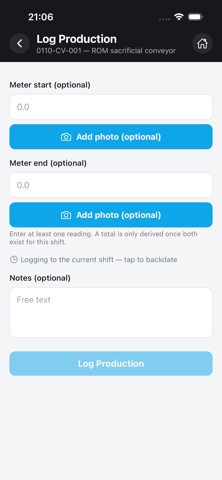
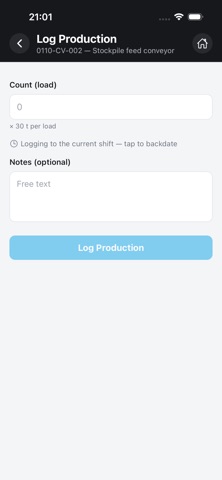
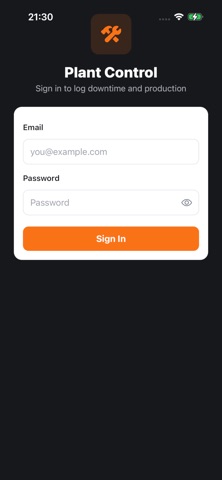
Plant Control puts real-time downtime and production logging directly in the hands of the people on the plant floor. Built for operators, artisans, and field crews at mining and processing sites, it replaces paper logs and end-of-shift guesswork with fast, accurate capture at the moment things actually happen — right from your phone. WHY PLANT CONTROL Downtime that isn't logged the moment it happens is downtime nobody can act on. Plant Control closes that gap. When a crusher jams, a conveyor belt tears, or a piece of equipment trips offline, your team logs it on the spot — no waiting for a supervisor, no filling in a paper form after the fact, no relying on memory at the end of a 12-hour shift. LOG DOWNTIME, FAST Start a downtime event in seconds: pick the equipment, select a loss category and reason, add a comment if needed, and you're done. Already resolved the issue before you had a chance to log it? Capture the whole event — start and end — in a single entry. LOG PRODUCTION TOTALS Record a shift's production numbers per piece of equipment: total tonnes, good tonnes, and rejects, with space for notes. Submit again during the same shift and Plant Control automatically updates the existing entry instead of creating a duplicate. YOUR EQUIPMENT, NOTHING ELSE Every user sees only the equipment they're assigned to by their site administrator — no clutter, no hunting through equipment that isn't yours to report on. A built-in search box makes finding the right piece of equipment instant, even on sites with long equipment lists. WORKS OFFLINE, SYNCS WHEN YOU'RE BACK Plant floors don't always have great signal. Plant Control queues your downtime and production entries locally and sends them the moment you're back online, automatically, with no manual retry required. Loss categories and reason codes are cached on your device too, so the app stays fully usable without a connection. KNOW WHAT'S PENDING A clear status banner shows exactly how many submissions are still waiting to sync. Tap it to see the full picture — what's queued, what's confirmed, and what needs a closer look. BUILT-IN DIAGNOSTICS Every sync and submission is logged on-device, with full detail available at a tap for anyone troubleshooting a submission that didn't go through as expected. If something can't be resolved, it can be safely dismissed. SIGN IN YOUR WAY Log in with your email and password, or use a one-tap magic link sent by your supervisor — ideal for shared or kiosk-style field devices where typing a password every shift isn't practical. SECURE BY DESIGN Your session token is stored using your device's secure storage, never in plain text. Equipment access, loss categories, and reason codes are all scoped and enforced by the server, so you only ever see and act on what you're authorized to. WHO IT'S FOR Plant Control is used by mobile operators, artisans, and field crews at sites running the Plant Control platform — part of the broader effort to manage, track, and control plant floor operations without the spreadsheets. You'll need an account provisioned by your site administrator to sign in. WHAT'S NEXT This is v1, focused on two things done well: logging downtime and logging production. Shift management, reporting, and photo attachments remain supervisor and desktop workflows for now, with more on the roadmap as the platform grows. Plant Control. Manage. Track. Control.
What's new · 1.2.0
This version include blast logic related features and tracking with enhanced reports
Details