

Screenshot to Text: OCR & Copy
Appricot Co.,Ltd. · Utilities
Independent analytics for this App Store listing. AppTracker is not affiliated with Appricot Co.,Ltd.
Chart standing · US
What changed · US
Listing changes AppTracker has observed for this app in this storefront — new versions, price moves, rating shifts, and store copy.
- Fixed missing spaces between words in English text - Fixed a line sometimes appearing twice where screenshots meet
Screenshots


About
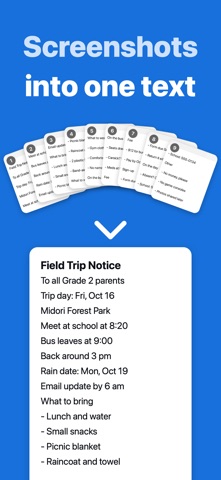
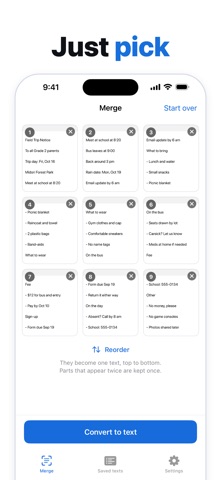
Pick a few screenshots and get one clean text, in the order you chose. Scrolling screenshots always overlap at the top and bottom. Joining them plainly repeats the same lines. The app compares the end of each image with the start of the next one and keeps the overlapping lines only once. It tells you how many lines it merged. - Pick several images at once, in your order. Reorder them any time. - Choose how pages are separated: no break, blank line, rule, or a numbered heading. - Edit the result on the spot, then copy the whole thing with one tap, or export a .txt file. - Your latest 100 texts stay in the app, and you can search them by their words later. Text recognition runs entirely on your iPhone. Your images and your text are never sent anywhere. No account, no sign-in. You can pick up to 10 images at a time. An ad may appear after a conversion (never on your first one). Premium (one-time purchase): buy once, keep it forever. No ads, and up to 100 images at a time. Privacy Policy: https://appricot-jp.github.io/privacy/yosetext/
What's new · 1.0.1
- Fixed missing spaces between words in English text - Fixed a line sometimes appearing twice where screenshots meet
Details