

PDF Editor: Scan to PDF
Prabhat Pedagandham · Productivity
Independent analytics for this App Store listing. AppTracker is not affiliated with Prabhat Pedagandham.
Chart standing · US
What changed · US
Listing changes AppTracker has observed for this app in this storefront — new versions, price moves, rating shifts, and store copy.
Ratings breakdown · US
The star breakdown behind this app's rating in this storefront.
Screenshots




About
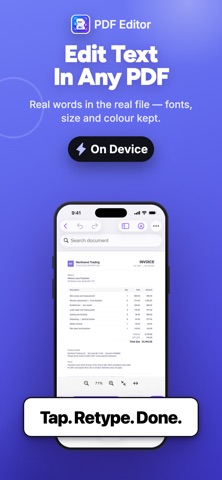
A complete PDF editor that runs entirely on your device. No account and no sign-in. The app ships without network access at all, so nothing you open can be uploaded — not by us, not by anyone. Nothing it produces is branded or stamped. EDIT WHAT IS ALREADY THERE • Change words in an existing PDF. Tap a line, retype it, and the layout stays where it was. • Fill in forms, or type anywhere on a printed form that has no fields. • Sign by drawing or typing. Your signature stays in this app's own storage on this device, is left out of backups, and never leaves it. SCAN AND READ PAPER • Photograph pages with edge detection, auto-capture, perspective correction and shadow removal. • Read the text on a photographed page, then copy it, export it, or retype a line in place. • Make a scan searchable by adding an invisible text layer — the page still looks exactly the same. PAGES AND FILES • Reorder, rotate, delete, duplicate, insert and extract pages by dragging. • Correct page orientation: one page at a time, at full size, or turn a whole document at once. • Combine several PDFs, choosing which file goes first and rearranging pages afterwards. • Split a document, export pages as images, or export the text as a Word file. • Compress by re-encoding oversized images only — text and drawings are left untouched, so the file stays sharp and searchable. MARK UP AND PROTECT • Draw, highlight, underline, strike through, add notes, shapes and text boxes. • Redact properly. The content is removed from the file, not hidden under a black box that copy-and-paste defeats. • Add your own watermark — text or an image, tiled, centred or dragged anywhere. BUILT TO BE HONEST • Your changes are written to a draft as you work, so a crash loses nothing. • Undo and redo everything, including page changes. • Saving asks before it overwrites, and validates the file before it replaces yours. • Where a tool has a limit worth knowing, the app says so in the app — not after it has cost you something. WHAT THIS APP DOES NOT DO It does not convert to Word or Excel with the original layout. Doing that faithfully needs a server, and this app has no network access. It exports the document's text instead, and says so before you use it.
Details