

表めも
Tatsuki Izumi · Productivity
Independent analytics for this App Store listing. AppTracker is not affiliated with Tatsuki Izumi.
Chart standing · US
What changed · US
Listing changes AppTracker has observed for this app in this storefront — new versions, price moves, rating shifts, and store copy.
• A fresh new look: row numbers, hand-drawn checks, a "Done" stamp when you finish a table, and a color for each table • Choose how progress appears on the home list: squares, a bar, or a ring • Lock Screen widgets • Search across all your tables • Paste several lines from Notes or other apps to add them as separate rows • Rename the Category and Item columns for each table • iCloud sync now keeps changes to different rows when the same table is edited on two devices • Templates are now included in iCloud sync and backups • Bug fixes
Screenshots



About
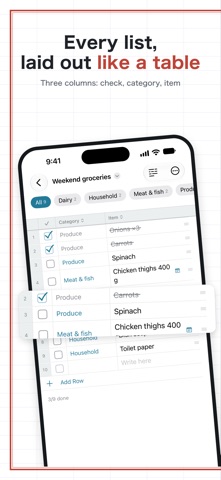
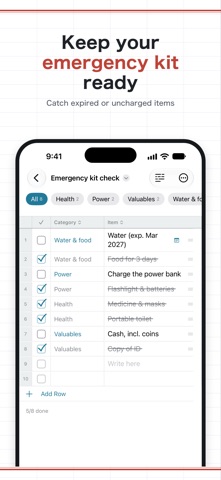
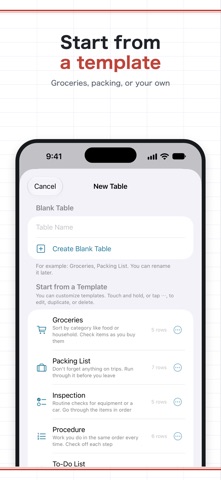
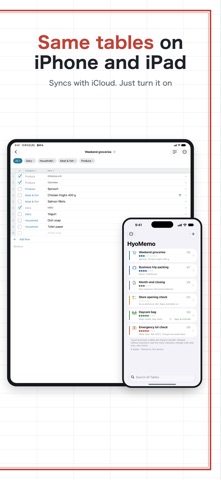
HyoMemo turns your lists into simple spreadsheet-style tables: a checkbox, a category, and the item. • Create as many tables as you like, each with its own icon • Tap a cell and type, just like a spreadsheet. Press Return to move to the next row • Filter by category and sort by any column • Auto reset: checks clear automatically every day or week at the time you choose. Great for daily bags and weekly inspections • Home Screen and Lock Screen widgets. Check items right from the Home Screen • Start from templates, or save your own • Search across all tables • Paste several lines to add them as separate rows • Rename the Category and Item columns for each table • Add text from Safari or other apps with the share sheet, or ask Siri • Sync iPhone and iPad with your own iCloud Drive (turn it on in Settings) • Undo deletions and resets, and export to CSV, Markdown, or JSON Great for groceries, daycare and work bags, emergency kits, and step-by-step procedures. The free version shows ads. Remove them with a one-time purchase.
What's new · 1.3
• A fresh new look: row numbers, hand-drawn checks, a "Done" stamp when you finish a table, and a color for each table • Choose how progress appears on the home list: squares, a bar, or a ring • Lock Screen widgets • Search across all your tables • Paste several lines from Notes or other apps to add them as separate rows • Rename the Category and Item columns for each table • iCloud sync now keeps changes to different rows when the same table is edited on two devices • Templates are now included in iCloud sync and backups • Bug fixes
Details