

Pinframe – Video to Photo
Donghun Ha · Photo & Video
Independent analytics for this App Store listing. AppTracker is not affiliated with Donghun Ha.
Chart standing · US
Screenshots




About
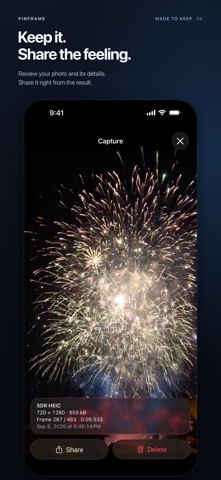
Pinframe browses the videos in your Photos library like a gallery and saves the exact frame you stop on as an HDR gain-map HEIC. HOW IT WORKS • Open Pinframe and your videos are already there, grouped by date. No importing, no file picker. • Tap a video, then swipe left or right to move between clips, the same way you browse photos. • Pause, step one frame at a time, or scrub the filmstrip. The counter shows exactly where you are, like 812 / 1800. • Tap Capture. The frame is saved to your library at the video's full resolution, and a preview badge appears so you can view, share, or delete it right away. • Turn on the album option and every capture is also collected in a "Pinframe" album. FRAME-EXACT, NOT ROUGHLY THERE Pinframe indexes the timestamp of every frame in the video, so the frame you see is the frame you get. That holds for variable-frame-rate recordings and slow-motion clips, where time-based grabbing can land one frame off. KEEP THE HDR HDR videos, like the ones recent iPhones record by default, are saved as Adaptive HDR HEIC: an SDR base image plus a gain map. The still looks right in any app and shows its full HDR range wherever HDR is supported. Prefer another format? Choose ISO HDR HEIC (10-bit), SDR HEIC, JPEG, or PNG, and set quality from 70% to 100%. PRIVATE BY DESIGN Everything happens on your iPhone. Pinframe has no account, no servers, no analytics, and never uploads your videos or photos. It reads only the videos you allow it to see, and Limited Access to your library is fully supported. MORE • Play at 1×, 0.5×, or 0.25× to find the moment • Hold the frame buttons to step continuously • Pinch to zoom and check focus before you capture • Haptic feedback and autoplay sound, both optional • English and Korean REQUIREMENTS • iPhone with iOS 18 or later • Videos in your Photos library (videos stored only in iCloud are downloaded when you open them) • HDR output needs an HDR source video (HLG or PQ). SDR videos are saved as SDR. This version does not batch-export ranges, import from the Files app, or create Live Photos.
What's new · 1.0.2
The app icon now adapts to Default, Dark, Clear, and Tinted appearances. Library improvements include a clear title and filtering videos by album. Improved frame navigation, capture results, file importing, and sharing. Fixed text labels in video duration filters.
Details