

FinWright
Jonathan Dale · Finance
Independent analytics for this App Store listing. AppTracker is not affiliated with Jonathan Dale.
Chart standing · US
What changed · US
Listing changes AppTracker has observed for this app in this storefront — new versions, price moves, rating shifts, and store copy.
- Start from statements: import OFX, QFX, CSV or a FinWright export without connecting Plaid - Pair and sync over Wi-Fi with a device iCloud cannot reach, or with an iPad that holds your ledger - iPad: a sidebar button, a close button on the front tab, Insights tabs you drag into order, and a portfolio button for investment accounts - Refresh fetches from the device that holds your ledger; only that device contacts your banks, so others no longer add to your Plaid bill - A device that is asleep or off your network is no longer reported as an error; the next sync tries again - Plaid now shows the app's name as FinWright
In-app purchases · US
No in-app purchases.
Screenshots




About
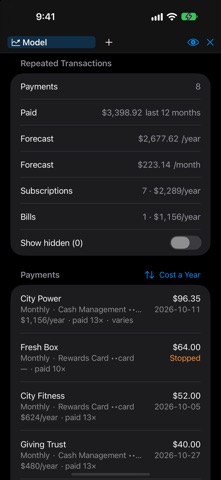
FinWright shows every account you have — balances, holdings and transactions — on your iPhone and iPad, and works out what it all comes to in retirement. THREE WAYS IN Pair with FinWright on your Mac using a six-digit code, and your ledger arrives through your own iCloud. Or set FinWright up on this device with your own Plaid keys, and let it be the one your other devices pair with. Or try it first with sample data — no account, no network. STILL NOTHING LEAVES YOUR DEVICES Your ledger travels through your own iCloud, between your own devices. There is no server in the middle and no account with us. Your Plaid secret and each institution's access token move through iCloud Keychain, so they are readable only by you. THE SAME FIGURES, THE SAME WAY Institutions with their totals, accounts with their types and balances, and transactions grouped into years and months or listed flat, with search. Loans and credit cards subtract, so the total is your net worth rather than what you happen to hold. Investment accounts show holdings, allocation and performance. Drag institutions and accounts into the order you want, and every device follows. ON IPAD Institutions on the left, their accounts beside them, and transactions with the portfolio underneath — the whole picture at once, with the Mac's row of tabs across the top. A RETIREMENT PLAN THAT DOES THE TAX Outlook, Retirement, Income and Repeating, as on the Mac. When you can stop work, what you can spend a year, and when the money runs out. Tax band by band, federal and state, through required withdrawals and Social Security. Claiming at three ages compared, a Roth conversion schedule, health cover and long-term care, the plan for one of you alone, and what your heirs inherit. Net worth and cash flow on one timeline. Several models open as tabs, and a change made here is the plan every device projects. REFRESH FROM ANYWHERE Pull new balances and transactions from your institutions wherever you are. What arrives syncs to your other devices. LOCKED THE SAME WAY Face ID or Touch ID unlocks it, and can stand in for the authenticator code. Set the authenticator up here or on your Mac — it is one enrolment either way, with its setup code and recovery codes manageable from here. The eye hides amounts, names, ages and dates of birth with one tap. Stop it syncing while it is locked, if you would rather a device in a drawer collected nothing until you pick it up. If you ever cannot unlock it, Erase Everything is in the Settings app under FinWright. REQUIREMENTS Connecting institutions uses Plaid, with your own Plaid client ID and production secret, set up once on whichever device holds them. Be aware that Plaid will charge your account when using this app. FinWright is a planning tool, not financial or tax advice.
What's new · 1.2
- Start from statements: import OFX, QFX, CSV or a FinWright export without connecting Plaid - Pair and sync over Wi-Fi with a device iCloud cannot reach, or with an iPad that holds your ledger - iPad: a sidebar button, a close button on the front tab, Insights tabs you drag into order, and a portfolio button for investment accounts - Refresh fetches from the device that holds your ledger; only that device contacts your banks, so others no longer add to your Plaid bill - A device that is asleep or off your network is no longer reported as an error; the next sync tries again - Plaid now shows the app's name as FinWright
Details