

Googie Gogo Photo Cleaner
Vaitly Limited · Photo & Video
Independent analytics for this App Store listing. AppTracker is not affiliated with Vaitly Limited.
Chart standing · US
Screenshots




About
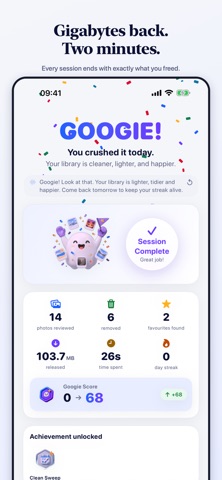
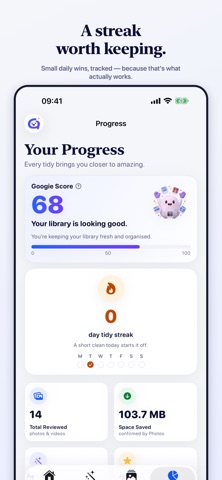
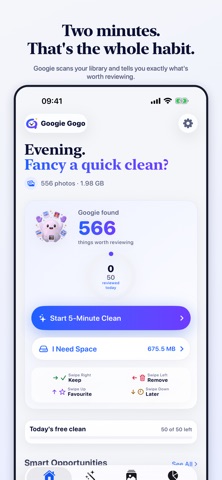
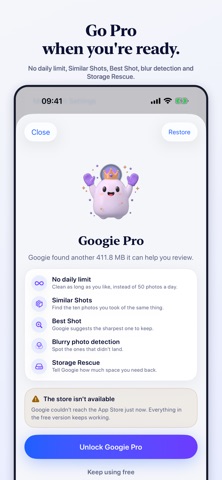
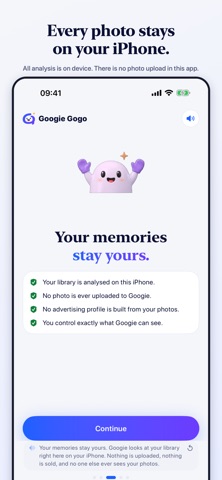
Googie Gogo turns photo-library maintenance into a two-minute habit. Swipe left to let a photo go, swipe right to keep it. Nothing is deleted until you review the batch and confirm it. Your photos never leave your iPhone. Every duplicate check, blur measurement and similar-shot comparison runs on the device using Apple's own Vision and PhotoKit frameworks. There is no photo upload in this app — not for analysis, not for support, not for analytics. WHAT GOOGIE FINDS • Exact duplicates, proven. Googie compares a SHA-256 hash of the two full files, not a thumbnail guess. If a pair hasn't passed that test, Googie calls it "similar" — never "identical". • Similar shots. The nine near-identical frames of the same moment, grouped into one decision. (Pro) • Best Shot. Googie suggests the sharpest, best-composed frame in a group so you keep one and let the rest go. (Pro) • Blurry photos. Measured, not guessed — and faces are protected, so a soft-focus portrait is never mistaken for a mistake. (Pro) • Old screenshots. Receipts, memes and boarding passes from three years ago. • Large videos. The handful of files quietly holding gigabytes. HOW IT WORKS 1. Open the app. Googie scans your library on the device and shows you what it found. 2. Choose a session — a quick clean, one category, or Storage Rescue. 3. Swipe. Left lets a photo go, right keeps it, up marks it a favourite, down means decide later. 4. Review the basket and confirm once. Apple Photos then asks you again, and anything you delete sits in Recently Deleted for 30 days. STORAGE RESCUE (PRO) Tell Googie you need 5 GB back before a trip. It builds a queue of the highest-value candidates — the biggest files carrying the least sentimental weight — and counts down as you clean. BUILT TO BE HARMLESS • Nothing is ever deleted without a batch you reviewed and Apple's own confirmation on top of it. • Photos you've marked Favourite in Apple Photos are protected automatically. • Limited photo access is fully supported. Googie works with exactly the photos you shared and tells you plainly that's what it's doing. • No account is required. There isn't even one to make. WHAT'S FREE, AND WHAT PRO ADDS The free version gives you 50 photos a day, every day, permanently — about a five-minute session. Swipe cleaning, exact duplicates, screenshots, large videos, monthly cleans, streaks, achievements and Favourite protection are all included, and the day's counter is on the home screen from the moment you first open the app. It is never hidden until you hit it. Googie Pro removes the daily limit and adds the features that need Apple's on-device vision models: Similar Shots, Best Shot, blurry-photo detection and Storage Rescue. • Monthly — £2.99 • Yearly — £14.99 • Lifetime — £29.99, one payment, no renewal A 5,000-photo library is about three and a half months of free daily sessions, or a weekend with Pro. Mostly, what you're buying is time. QUESTIONS PEOPLE ASK Can Googie delete a photo by accident? No. Swiping left only stages a photo. Deletion happens once, at the end, on a batch you reviewed and confirmed, and Apple Photos asks you again before anything goes. Are my photos uploaded anywhere? Never. All analysis happens on your device. The app contains no photo upload. Do I need to create an account? No, and there isn't one to create. Googie Pro is tied to your Apple Account through the App Store, so it restores itself on any device you're signed into. Does it work on iPad? Yes. Googie Gogo is a universal app, and the layouts adapt to the bigger screen rather than being stretched. What happens when I run out of free photos for the day? The photos you already sorted stay sorted, your basket is still there tomorrow, and the allowance resets at midnight. Privacy Policy: https://googiegogo.com/privacy Terms of Use (EULA): https://www.apple.com/legal/internet-services/itunes/dev/stdeula/
Details