

FraisNote
Jean-David FERRAND · Finance
Independent analytics for this App Store listing. AppTracker is not affiliated with Jean-David FERRAND.
Chart standing · US
In-app purchases · US
No in-app purchases.
Screenshots
Similar apps
Competitors and close alternatives, as estimated by AppTracker.
 MyReceipts
joseph ward
MyReceipts
joseph ward
 Receipt Scanner - Receipto
AppWrapp, LLC
Receipt Scanner - Receipto
AppWrapp, LLC
 Receipt Scanner: Easy Expense
Easy Expense Tracker LLC
Receipt Scanner: Easy Expense
Easy Expense Tracker LLC
 Receipt Organizer・ReceiptGenie
Botisan AI Pte. Ltd.
Receipt Organizer・ReceiptGenie
Botisan AI Pte. Ltd.
 Receipt Vault: Expense Scanner
Rafal Zbikowski
Receipt Vault: Expense Scanner
Rafal Zbikowski
 Smart Receipts: Expenses & Tax
REACTIVE APPS CORP.
Smart Receipts: Expenses & Tax
REACTIVE APPS CORP.
 Receipt Scanner・Track Expenses
Saldo Apps Inc.
Receipt Scanner・Track Expenses
Saldo Apps Inc.
 ReceiptSaverApp
Andres Made
ReceiptSaverApp
Andres Made
About
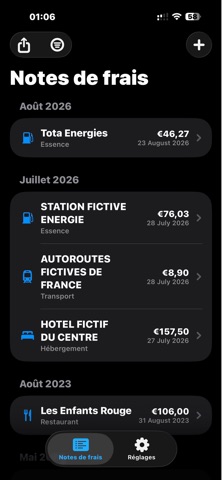
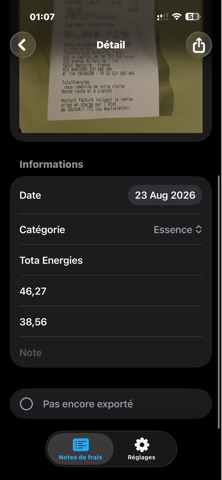
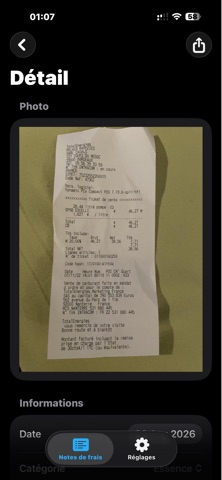
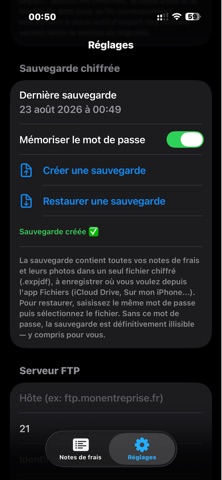
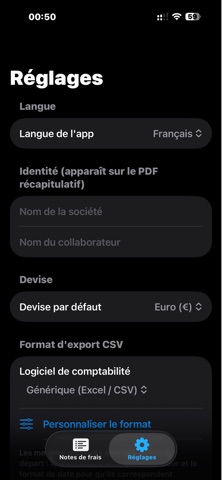
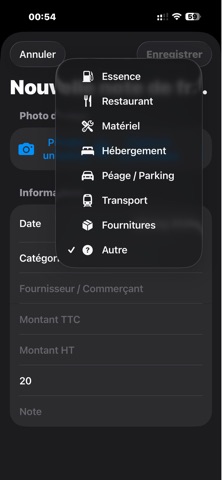
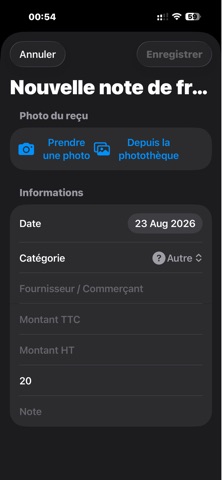
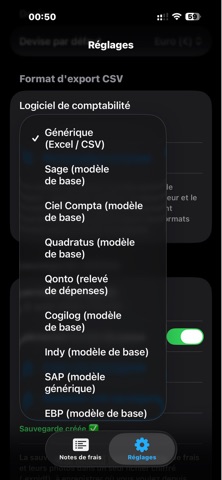
Easily digitize, categorize, and archive all your expense receipts. This app allows you to photograph your receipts and expense vouchers, automatically extract information using OCR (Optical Character Recognition), and store them in a clear, organized library. Ideal for freelancers, sole traders, professionals, sales staff, associations, and businesses looking to simplify the daily management of their expense records. SCAN AND OCR RECOGNITION Simply take a photo of your receipt or import an image from your photo library. OCR technology analyzes the receipt to easily capture key details, including: Date Vendor or merchant Amount (incl. tax) Amount (excl. tax) VAT Expense category You can then review and edit the information before saving it. EXPENSE CATEGORIZATION Easily organize your expenses using various categories: Fuel Dining Equipment Accommodation Tolls / Parking Transport Supplies Other expenses Receipts are automatically organized chronologically, making it easy to find expenses by month or year. RECEIPT ARCHIVING Each expense record stores the receipt photo alongside its associated details. View expense details and the original receipt photo at any time. This gives you a convenient digital archive of your business expenses. PDF EXPORT Create PDF documents from your expense records. You can: Export a single receipt as a PDF Export multiple expense records Create a summary PDF Group receipts for easier archiving Share or save documents to the Files app Convenient for sending receipts to your accountant or maintaining your archives. CSV EXPORT FOR ACCOUNTING Export your expenses in CSV format for easy processing in spreadsheet or accounting software. Several export formats are available, including: Generic CSV / Excel Sage Ciel Compta Quadratus Qonto Cogilog Indy SAP EBP The export format can also be customized to adjust the column order and content to suit your accounting needs. EXPENSE MANAGEMENT For each expense, you can record: Gross amount (incl. tax) Net amount (excl. tax) VAT Supplier Date Category Additional notes MULTIPLE CURRENCIES Select the currency used for your expense reports to tailor the app to your business operations. ENCRYPTED BACKUP Create an encrypted backup containing your expense reports and their associated photos. The backup can be saved to the Files app, on your device, or in a compatible location like iCloud Drive. It can then be restored using the password set when it was created. SIMPLIFIED EXPENSE MANAGEMENT No more keeping dozens of paper receipts or manually entering every expense into a spreadsheet. Snap a photo of your receipt, verify the detected details, and categorize the expense. Your expense reports remain accessible, organized, and ready for export whenever you need them. A simple solution for digitizing, organizing, archiving, and submitting your business receipts.
Details