

Pulpit Timer
Wayne Hartman · Utilities
Independent analytics for this App Store listing. AppTracker is not affiliated with Wayne Hartman.
Chart standing · US
What changed · US
Listing changes AppTracker has observed for this app in this storefront — new versions, price moves, rating shifts, and store copy.
AGENDAS AND RUN OF SHOW • Download published agendas from your PulpitTimer organization. • Open an agenda directly on the remote dashboard. • Tap a speaker to prepare their duration and warning settings without starting the timer. • Edit, reorder, or remove speakers from the remote. • A streamlined connection flow takes you straight to the remote dashboard, ready to send speaker times to the timer. • Clearer compatibility guidance, plus layout, accessibility, and reliability improvements.
Screenshots


About
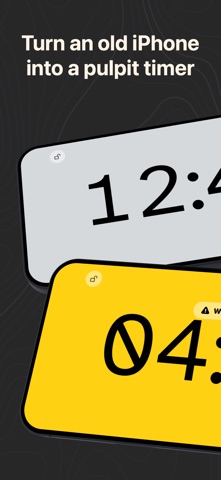
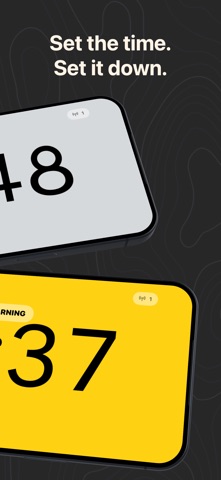
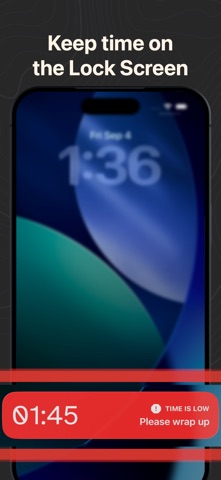
Keep every speaker, service, presentation, and event running on time with PulpitTimer. Use one device as a clear, full-screen timer and nearby devices as remotes. Connect over Bluetooth or your local network, then control the timer without interrupting the person on stage. EVERYTHING WORKS. FREE TIMERS ARE LIMITED TO FIVE MINUTES. The free five-minute timer includes: • Start, pause, and restart • Custom warning and critical thresholds • Operator messages and reusable quick cues • Custom display colors and phase labels • Remote brightness control • Battery, screen-awake, connection, and controller status • Bluetooth and local-network connections • Multiple controllers • Live Activities and Apple Watch support UNLOCK THE FULL TIMER ONCE A single, non-consumable in-app purchase unlocks: • Configurable timers up to 24 hours • Saved duration presets • Positive remote time adjustments • Optional overtime • Scheduling a timer to finish at a specific time There is no subscription. Remote mode always remains free, so volunteers and operators can use their own devices to control an unlocked timer without purchasing separately. Whether you are timing a sermon, conference talk, classroom presentation, rehearsal, or live production, PulpitTimer gives the person on stage a readable display and gives the operator quiet, dependable control.
What's new · 1.1
AGENDAS AND RUN OF SHOW • Download published agendas from your PulpitTimer organization. • Open an agenda directly on the remote dashboard. • Tap a speaker to prepare their duration and warning settings without starting the timer. • Edit, reorder, or remove speakers from the remote. • A streamlined connection flow takes you straight to the remote dashboard, ready to send speaker times to the timer. • Clearer compatibility guidance, plus layout, accessibility, and reliability improvements.
Details