

FunFactory — Stickers/Buttons
Benjamin Dansby · Graphics & Design
Independent analytics for this App Store listing. AppTracker is not affiliated with Benjamin Dansby.
Chart standing · US
What changed · US
Listing changes AppTracker has observed for this app in this storefront — new versions, price moves, rating shifts, and store copy.
FunFactory opens on a fresh start screen in its own violet, with the star, circle and pill from its icon. Undo and Redo are now on screen: in the toolbar on iPad, and on iPhone at the bottom of the canvas and at the top of the Item Settings drawer. Taking back an edit no longer needs a keyboard. Selections, tabs and sliders wear FunFactory's violet accent, in a lighter shade in Dark Mode.
In-app purchases · US
No in-app purchases.
Screenshots


About
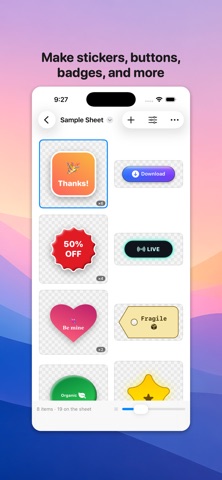
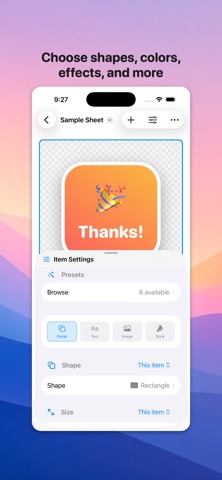
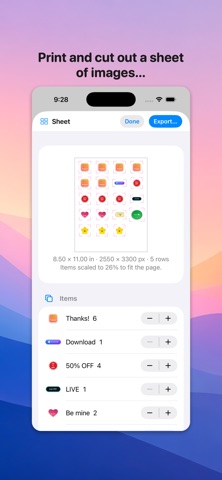
FunFactory makes a sheet of shapes, buttons, badges and stickers — and then gets them out, one at a time or all together on a page with cut lines. Twelve shapes, each carrying words, a picture, or both. Pick a rectangle, ellipse, triangle, diamond, hexagon, star, burst, shield, speech bubble, heart, tag or arrow, then fill it, outline it, and light it. SHARED OR INDIVIDUAL, PROPERTY BY PROPERTY • Every control carries an All items / This item switch. • Give the whole sheet one corner radius and one shadow, then let a single badge break ranks on fill and shape alone. • Even the caption and the picture work this way, so a set can share one logo. WORDS AND PICTURES • Text shrinks to fit rather than running off the edge. • A picture can be an SF Symbol, an emoji, or your own image file. • Place the picture above, below, left of or right of the text, and set how much room it takes. STYLING • Solid or gradient fills at any angle, plus a border. • A drop shadow or a glow, with strength, spread and offset. • A surface treatment that raises the shape into a bevelled button or a glass one. • Everything scales with the item, so a small sticker and a big card look like the same design. PRESETS • Eight to start from, previewed as artwork rather than named in a list. • Save your own and they follow you between sheets. • Applying one is a single undo, and it respects your shared-or-individual split. A SHEET, PACKED AND CUT • Lay every item, copies and all, onto US Letter, A4, a custom page, or a page sized to fit. • Pack it tight or in an even grid, with your own gap and margin. • Add cut lines that trace each item's own outline, plus boxes and crop marks. • PDF keeps shapes, borders and cut lines as real vectors. EXPORT • One item as a transparent PNG, every item as its own file, or the whole sheet as PNG or PDF at the resolution you pick. • Sheets save as a document, so the work comes back exactly as you left it. FunFactory is a native iPhone and iPad app. On iPad the settings sit in a sidebar beside the canvas; on iPhone they rise as a drawer you can leave at half height, so you watch a shape change while you drag the slider.
What's new · 1.0.4
FunFactory opens on a fresh start screen in its own violet, with the star, circle and pill from its icon. Undo and Redo are now on screen: in the toolbar on iPad, and on iPhone at the bottom of the canvas and at the top of the Item Settings drawer. Taking back an edit no longer needs a keyboard. Selections, tabs and sliders wear FunFactory's violet accent, in a lighter shade in Dark Mode.
Details