

Z Assist
Daniel Banica · Photo & Video
Independent analytics for this App Store listing. AppTracker is not affiliated with Daniel Banica.
Chart standing · US
Screenshots



About
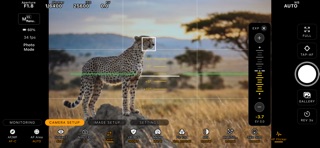
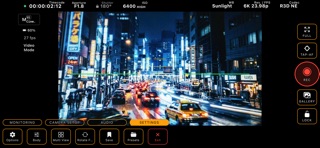
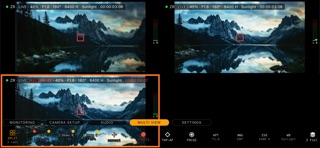
Z Assist turns your iPhone/iPad into a professional on-set monitor and remote control for the Nikon Z-Series cinema cameras. Connect over USB-C or Wi-Fi and get a low-latency live view with the analysis tools working DPs actually use — no rig, no extra hardware. MONITORING TOOLS: • Z Field exposure map — a 13-stop, color-coded exposure zone overlay with on-screen legend • False color with professional band mapping • Waveform, RGB parade and histogram scopes driven by the live feed, with R3D clip-level guides • Focus peaking rendered natively on the raw feed — colored edges, edges-only, or mono modes • Zebras with fast IRE cycling and per-tone highlighting • Frame guides (2.39, 2.35, 1.85, 16:9, 4:3, 1:1, 9:16) with letterbox mattes, grid and safe areas • Monitoring LUTs and anamorphic desqueeze (1.33× / 1.5× / 1.8× / 2× / Custom) CAMERA CONTROL: • Start/stop recording with live timecode • Full exposure control: ISO, shutter speed or angle, iris, EV, white balance and Kelvin • AF mode, AF area, subject detection, tap-to-focus and manual focus drive with A/B hard stops • Audio input, sensitivity, attenuator and wind-cut settings • Dedicated Body Control page mirroring the camera menus, always in sync with the body PLAYBACK: • Browse clips and stills on the camera's card without removing it • Fast thumbnails for video, NEF and jpeg files • Instant NEF preview without downloading the full raw WORKFLOW: • Multi-camera view with split-screen and quick swap • Save and recall monitor layouts as presets • Draggable tool dock, fullscreen mode, battery saver • Photo mode with live camera setup chips The app connects to your camera and shows the live feed for free. A single one-time purchase — no subscription, no account — unlocks the full toolset: camera control, recording, and all monitoring tools. Everything works fully offline. Note: Multi View (multi-camera monitoring) is an early-access feature and it might be unstable under certain circumstances. The app successfully passed functional, performance, and quality tests with the Nikon ZR camera. Tests for other Z-Series models are currently underway. Z Assist is an independent product and is not affiliated with, endorsed by, or sponsored by Nikon Corporation. Nikon and Z-Series are trademarks of their respective owners. The Z Field exposure map is an independent implementation and is not associated with any other tool.
Details