

Ravelon: SSH, SFTP, RDP & VNC
Michael Ortner · Developer Tools
Independent analytics for this App Store listing. AppTracker is not affiliated with Michael Ortner.
Chart standing · US
Screenshots


About
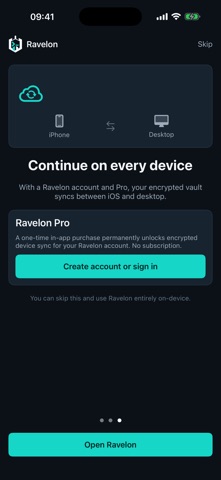
Connect to your own servers and remote desktops. Ravelon brings SSH, SFTP, RDP and VNC together on iPhone and iPad. SSH and SFTP Open several terminals and switch between sessions. A dedicated key row and customizable key panel put Escape, Tab, Ctrl shortcuts, arrows and shell characters within reach. Browse directories over SFTP, edit text files, change permissions and transfer files through the Files app. Transfers show their progress and can be cancelled. RDP and VNC Open remote desktops in the app. Use direct touch or a virtual pointer, adjust the viewport and bring up the keyboard. Set resolution, clipboard access and other connection options for each host. RDP also includes gateway settings. Your workflow Organize hosts in groups, add tags and favorites, and import OpenSSH config blocks. Connect with passwords, Ed25519 or ECDSA keys, and ProxyJump. Local port forwarding makes remote services accessible on your device. Save frequent commands as snippets with variables. Snippets go to the prompt first and only run when you press Return. Coding agents and containers Launch Claude Code, Codex, Gemini CLI or opencode in a project directory on your server. The programs must already be installed there. When tmux is available, work can continue through a dropped connection. Under More, you can also manage Docker and Podman containers, read their logs and open a shell inside a container. Your credentials Hosts, passwords and keys are stored in a local AES-256-GCM vault. SSH host keys are checked, with separate prompts for new and changed keys. An optional app lock uses Face ID, Touch ID or the device passcode to protect the screen. When you return from the background, Ravelon checks previously connected SSH sessions and reconnects when needed. iOS determines how long connections can remain active in the background. Local use without an account Local connections are free and work without signing in. End-to-end encrypted sync with Ravelon Desktop and your other devices is available through Ravelon Pro, a one-time in-app purchase with no subscription. You can also use your own sync server. Usage counts are off by default and are only sent with your consent.
What's new · 1.1.0
New Open remote desktops over RDP and VNC, with touch, a virtual pointer and keyboard controls. Launch Claude Code, Codex, Gemini CLI and opencode on your server, or attach to running tmux sessions. Manage Docker and Podman containers under More, read logs and open a shell. Improved Dropped SSH sessions reconnect more reliably when you return to the app. Live Activity status is shown in Appearance. Fixed The key row no longer covers the last terminal line above the system keyboard. The final line remains accessible after resizing and scrolling. Switching accounts no longer assigns local vault data to a different account without asking. Removed The server metrics monitor and its widgets have been removed. Container management remains available under More.
Details