

PixelMode AI Pixel Art Studio
Nathan Hoffer · Graphics & Design
Independent analytics for this App Store listing. AppTracker is not affiliated with Nathan Hoffer.
Chart standing · US
Screenshots



About
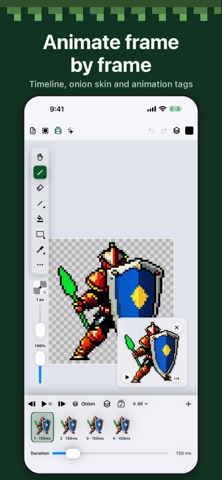
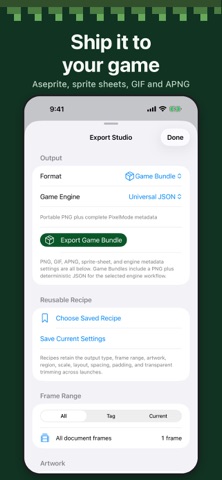
PixelMode is a pixel art studio for iPhone and iPad. Draw sprites, tiles and animations with tools made for hard pixels, then export them for your game. Use AI tools to generate pixel art and speed up your creative process! DRAW • Pencil, eraser, line, shapes, fill, gradients and dithering built for crisp pixels • Layers, groups, masks and blend modes • Indexed and RGBA color with palettes, ramps and color cycling • Pixel grid, symmetry, tiled preview and guides • Apple Pencil and touch, left- or right-handed ANIMATE • Frame timeline with onion skinning and tags • Eight-direction animation setup • Export animated GIF and PNG AI THAT STAYS ON YOUR DEVICE • Text to Item: describe an item and get four pixel-art sprites or tiles to choose from • Image to Image: repaint your current art while keeping its composition • Results arrive as editable layers on your canvas, never flattened images • Runs entirely on your iPhone or iPad. Your prompts and artwork are never uploaded • Requires iOS 26 and a one-time 1.2 GB download EXPORT • PNG, sprite sheets, GIF, animated PNG • Aseprite (.aseprite) and PixelMode project files • Share straight to Files, Photos and other apps
Details