

Fontora: Font Keyboard & Text
RANIA ABDELALEEM · Utilities
Independent analytics for this App Store listing. AppTracker is not affiliated with RANIA ABDELALEEM.
Chart standing · US
What changed · US
Listing changes AppTracker has observed for this app in this storefront — new versions, price moves, rating shifts, and store copy.
• Open Fontora from the new button on the keyboard toolbar • Try styles right away: keyboard setup now comes after your first copy • Bug fixes and performance improvements
Price & rating history · US
Reconstructed from the listing changes AppTracker has observed in this storefront. A field is charted once it has changed more than once, and each line starts at the value it moved from.
Average rating · ★ 0.00 now · 4 changes on record
Screenshots




About
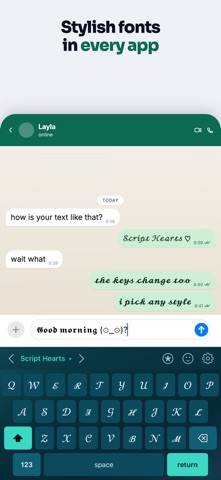
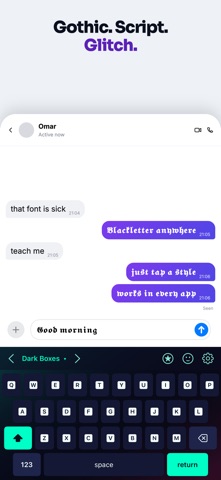
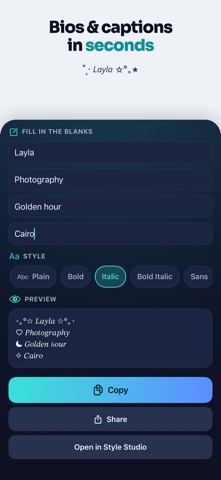
Fontora is a private fonts keyboard for stylish messages, bios, captions, and profiles. Type with 32 included styles directly from the keyboard without Full Access, or explore all 80 styles in Style Studio and copy your favorite anywhere. 32 STYLES INCLUDED FOREVER Bold, italic, cursive, gothic, outline, small caps, bubbles, boxes, aesthetic text, and more. Every included style stays available with unlimited typing and no account required. 80 STYLES IN STYLE STUDIO Type once to preview every style live. Copy or share the result with any app or website that supports Unicode text. A REAL FONTS KEYBOARD Enable Fontora once, then switch keyboards with the globe key. The full QWERTY keyboard includes shift, caps lock, numbers, symbols, backspace repeat, favorite styles, recents, symbol packs, and kaomoji. PRIVATE BY DESIGN The Fontora keyboard works with “Allow Full Access” turned off. The keyboard extension contains no ads or networking and does not collect, store, or send what you type. Text styling happens on your device. SYMBOLS, KAOMOJI, AND TEXT ART Find stars, hearts, arrows, flowers, music, dividers, currency, math, zodiac, gaming symbols, and expressive kaomoji. Search, favorite, and copy in one tap. BIO AND CAPTION TEMPLATES Start from ready-made layouts for creator profiles, gaming nicknames and bios, business pages, birthdays, travel, couples, and short statuses. Edit the text, apply a style, and copy. 16 KEYBOARD THEMES Choose from dark, light, gradient, aurora, and glow looks. Four themes are included. HOW TO ENABLE FONTORA 1. Open Fontora and complete the setup. 2. Go to Settings > General > Keyboard > Keyboards > Add New Keyboard. 3. Choose Fontora. Allow Full Access is optional: typing works without it, and turning it on lets the keyboard open Fontora. 4. Tap the globe key in a supported text field to switch to Fontora. TRY BEFORE YOU BUY Watch a short video to unlock an individual premium style or item for 24 hours. No account or subscription is required for a rewarded unlock. FONTORA PRO Unlock all 80 styles in Style Studio, all 16 themes, every premium symbol pack, and every template, and remove ads from the main app. Choose a weekly or annual subscription, or a one-time lifetime purchase. Fontora creates styled text with standard Unicode characters; it does not install font files or change the iPhone system font. Some apps and websites may render certain characters differently. iOS does not allow third-party keyboards in password and other secure fields, and some apps disable third-party keyboards. Privacy Policy: https://aswapps.com/privacy-policy Terms of Use: https://www.apple.com/legal/internet-services/itunes/dev/stdeula/
What's new · 1.2.0
• Open Fontora from the new button on the keyboard toolbar • Try styles right away: keyboard setup now comes after your first copy • Bug fixes and performance improvements
Details