

TankO – Fuel & Charging Log
Sebastian Baer · Utilities
Independent analytics for this App Store listing. AppTracker is not affiliated with Sebastian Baer.
Chart standing · US
What changed · US
Listing changes AppTracker has observed for this app in this storefront — new versions, price moves, rating shifts, and store copy.
Screenshots


Similar apps
Competitors and close alternatives, as estimated by AppTracker.
 Fuel Tracker - Your Logbook
Moritz-Alexander Heinke
Fuel Tracker - Your Logbook
Moritz-Alexander Heinke
 My Car - Vehicle Manager
KineApps Oy
My Car - Vehicle Manager
KineApps Oy
 Charge Tracker - Your Logbook
Moritz-Alexander Heinke
Charge Tracker - Your Logbook
Moritz-Alexander Heinke
 Fuelio: MPG & Mileage Tracker
Sygic a. s.
Fuelio: MPG & Mileage Tracker
Sygic a. s.
 Gasol Tracker: Fuel & Cost Log
lorenzo meccoli
Gasol Tracker: Fuel & Cost Log
lorenzo meccoli
 Fuel Monitor Pro
LINKLINKS LTD
Fuel Monitor Pro
LINKLINKS LTD
 CarLog - Car Care & Fuel Log
Myro Control, LLC
CarLog - Car Care & Fuel Log
Myro Control, LLC
 Autolog: Car app
Alphabit Software Inc.
Autolog: Car app
Alphabit Software Inc.
About
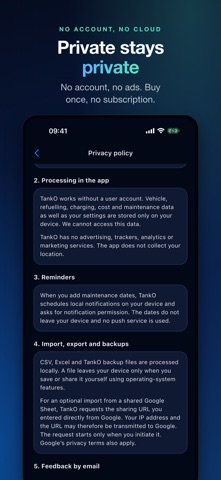
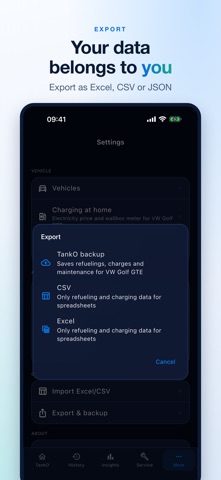
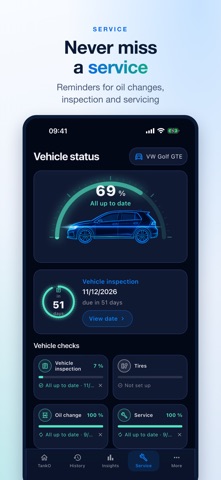
TankO keeps your vehicle costs in one place. Log fuel-ups and charging sessions for petrol, diesel, electric and hybrid vehicles. TankO turns them into cost and consumption figures per 100 km and shows entries and statistics per vehicle. For plug-in hybrids, petrol and electricity live in the same vehicle profile, with separate consumption values. Set a fixed price per kWh or let TankO derive it from your wallbox meter readings. Store dates for oil changes, inspections and servicing, and TankO reminds you in time. No account, no ads, no trackers. Your data stays on your device, and you can export it as CSV, JSON or Excel whenever you want. TankO is a one-time purchase. Every feature is included — no subscription and nothing unlocked later.
What's new · 1.0.3
What’s new in 1.0.3 You can now set a custom reference consumption for each vehicle. When adding a vehicle, the field is pre-filled with a suggestion based on the powertrain type and vehicle class; this suggestion updates automatically as long as it remains unchanged, but can be modified at any time in the vehicle edit screen. New under "More Analyses": monthly costs and mileage, annual projections, recording frequency, best and worst values, range per tank or battery charge, cold vs. warm months, price comparisons by gas station and charging point, charging locations, AC vs. DC (including fast-charging surcharges), savings from home charging, and estimated electric driving share for plug-in hybrids. Each section appears only if the available data supports it. The analysis displays trends for fuel (liter) and electricity (kWh) prices, with a dedicated card and scale for each energy source. The "Insights" card now specifies exactly how many entries are needed before an initial assessment or long-term trend can be generated, rather than simply stating "not enough data yet." Vehicles without a charging plug no longer display a cost mix or charging costs in the trend view. Individual data points in the consumption or price history are now marked with a specific indicator and guide line, ensuring they remain visible. In the vehicle status view, the "Tires" tile has been renamed and now fits on a single line. The "Send Feedback" option no longer displays the email address as a sub-line; it is still included in the email itself, or copied to the clipboard if no email app is used. Settings have been reorganized into the following categories: Vehicle, App, Data, and About. The second item, "Maintenance Reminders," has been renamed "Advance Reminder" and now displays the configured lead time directly in the list. In the "Advance Reminder" dialog, the two input fields previously overlapped. Invalid values were previously discarded without notice; the dialog now remains open and displays the valid input range. "Delete All App Data" is located at the very bottom of the settings menu and is highlighted in red. The security prompt specifies in advance how many vehicles and entries are affected.
Details