

Cross Country Coach
Sydney White · Sports
Independent analytics for this App Store listing. AppTracker is not affiliated with Sydney White.
Chart standing · US
Screenshots




About
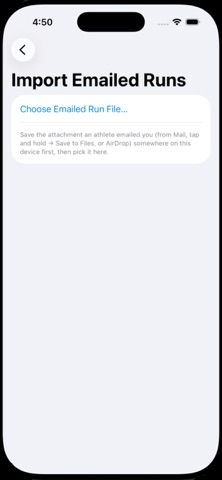
Coach Guide (iPhone & iPad) GETTING STARTED Open the Coach app. At the top of the sidebar you'll see a sync status row with a Start/Stop button. Tap Start whenever you want athletes to be able to sync — this makes your device discoverable to nearby phones. Tap Stop when you're done. *Syncing works over Wi-Fi/Bluetooth proximity only — no internet needed, but the athlete needs to be physically nearby, not connecting from home. ROSTER Add athletes ahead of time — they don't need a logged run yet to be on your roster. Anyone who hasn't checked in shows up under “Haven't Logged a Run Yet.” Rename an athlete (swipe → Rename) and their existing run history moves with the new name automatically. Merge two entries (swipe → Merge Into…) if the same person ended up logged under two different spellings — combines their runs and feedback, removes the duplicate. This can't be undone. SYNCING RUNS FROM ATHLETES With sync running, have the athlete open “Sync with Coach” on their iPhone. Their phone finds your device automatically and connects — no pairing code or manual approval needed. Their run history transfers automatically. OTHER WAYS TO GET A RUN IN Import GPS Run For athletes using a Garmin, Coros, Polar, or other non-Apple GPS watch: export their run as a GPX or TCX file (any of those brands' companion apps can do this) and import it. Distance and time come through accurately; pace-ahead/behind numbers only appear if you enter a target time at import, since the file itself doesn't know the goal. Add Run Manually For an athlete with no phone or watch at all: enter distance and final time directly. The 100m breakdown is an estimate assuming even pacing — not real splits, and clearly labeled as such. “Ran With a Tracked Athlete” mode: if this athlete ran alongside someone whose device did track the run, pick that run to copy from. If the time matches, you get that run's REAL measured splits, not a guess — genuinely useful for pairing up an athlete without a device with a teammate who has one. REVIEWING RUNS Tap an athlete's name to see every run they've logged, most recent first — regardless of how it got there (synced, imported, or manual). Tap into any run for the full breakdown — pace at every 100m, color-coded the same way the athlete sees it (red = behind target, green = ahead, gray = on pace). Watch-recorded runs may also show a Health Data section — heart rate, calories, and VO₂ max when available. Imported and manually-entered runs never have this — that data only ever comes from an Apple Watch. LEAVING FEEDBACK Open any run, write a note, tap Save & Send. Sends immediately if that athlete's connected; otherwise goes out automatically next time they sync. A note icon marks any run that already has feedback attached. TRAINING PLAN Browse the suggested 16-week plan by phase → week → day; tap any day to edit it. Set your season start date so weeks show real calendar dates. Prefer Excel? Export the plan as CSV from the icon in the top-right, edit it there, and import it back the same way. * “Reset to Suggested Defaults” discards ALL your edits — use deliberately. BACKUP & RESTORE “Export All Data” bundles every athlete's runs, all feedback, and the training plan into files you can save anywhere. 3 CSVs for reading in Excel, plus one CoachBackup.json that's the real backup — keep that one safe. “Restore from Backup” reads that JSON back in. This REPLACES everything currently on the device — it asks you to confirm first. Use it when setting up a new phone or iPad. * There's no automatic schedule — exporting is manual. Consider making it a habit (after big meets, or monthly). THINGS TO KNOW * The training plan is one shared plan for the whole team, not customized per athlete. * Sync is one-way discovery: your device advertises, athletes' phones find it. If sync isn't happening, confirm it's actually running on your end. * If an athlete reports their GPS distance seems consistently off, they can calibrate their own device
Details