

Burnlist — Tasks & Boards
Porcellus, Inc. · Productivity
Independent analytics for this App Store listing. AppTracker is not affiliated with Porcellus, Inc.
Chart standing · US
What changed · US
Listing changes AppTracker has observed for this app in this storefront — new versions, price moves, rating shifts, and store copy.
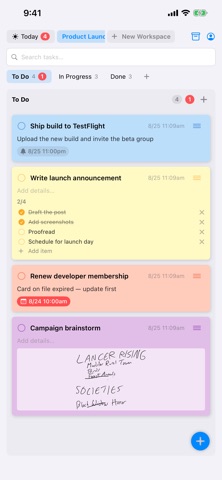
8 new color themes Multi-line note titles with Enter key Grid appearance selector Bug fixes and performance improvements
In-app purchases · US
What this app sells inside itself, grouped by kind and priced for this storefront.
Screenshots

About
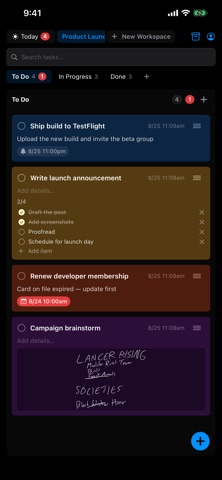
Burnlist is the to-do app that makes finishing things feel good. Scribble tasks with Apple pencil. Organize tasks into boards, drag them with a fingertip. Syncs to iPhone and Mac to edit and view tasks from anywhere (though without the pencil features) WORK THE WAY YOU THINK • Boards with columns — view side-by-side (kanban style) or as tabs • Separate workspaces for work, home, groceries, anything • Start from templates: Project Board, Weekly Planner, Groceries • Drag and drop that actually feels good — instant, no long-press BUILT FOR APPLE PENCIL • Scribble a task in your own handwriting — it becomes searchable text • Scribble directly on any task card, or add a sketch. • Handwriting search finds what you scribbled, even weeks later STAY ON TOP OF IT • Today view gathers everything due or overdue across all boards • Due dates, reminders, and repeating tasks • Complete or snooze straight from the notification • Checklists inside tasks, with progress at a glance SEE YOUR PROGRESS • Done tasks auto-archive after 3 days — boards stay clean • A burndown chart of your completions, day by day • A satisfying flame every time you finish something YOURS, EVERYWHERE • Free forever on this device — no account required • Burnlist Pro (one-time purchase, no subscription): sync across Mac, iPhone, and iPad, plus unlimited workspaces • Add tasks from the share sheet, Siri, and Shortcuts • Full backup export and import — your data is never locked in • Light and dark mode, with task colors that adapt
What's new · 1.1
8 new color themes Multi-line note titles with Enter key Grid appearance selector Bug fixes and performance improvements
Details