

OffsetMark
JAAE L.L.C. · Productivity
Independent analytics for this App Store listing. AppTracker is not affiliated with JAAE L.L.C.
Chart standing · US
What changed · US
Listing changes AppTracker has observed for this app in this storefront — new versions, price moves, rating shifts, and store copy.
New in 1.3.2: Saddle 3, Mark Walk and My Bender. • Saddle 3: a 3-point saddle with a 45° center. Enter the obstruction height for mark spacing and shrink. Add the distance to center for side, center and side marks on the tape. • Mark Walk: on Offset, fill in To obstruction and tap Walk. See the 1st mark, then the 2nd, one at a time in big type. • My Bender: save your own bender's deduct for ½, ¾, 1 and 1¼ in. The 90 uses the one you pick. Values you enter, kept on this phone. • New cues: Offset says "Spin 180° · marks on the arrow, not the star" and Saddle 3 says "Center on the notch · sides on the arrow".
In-app purchases · US
No in-app purchases.
Screenshots

About
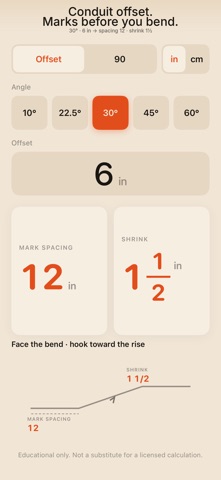
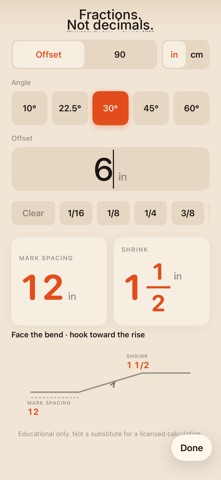
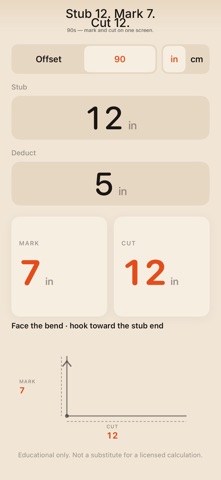
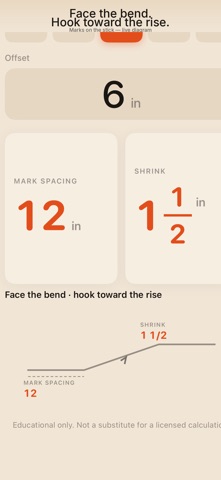
30° and 6 in offset → MARK SPACING 12, SHRINK 1½. Type the number. Read fractions on the tape. 90s: mark and cut on one screen. Offline. $6.99 once. No account. No subscription. Educational — not code advice. Type the angle and the offset. Get the mark and the shrink. One screen for the stick: punch the angle and the rise, read MARK SPACING and SHRINK in fractions you can put on a tape. Flip to 90 for CUT. Built for the job. Gloves on. • Offset: MARK SPACING and SHRINK • 90: CUT • Field angles: 10°, 22.5°, 30°, 45°, 60° • Shop-card numbers. 30° and 6 in → MARK SPACING 12, SHRINK 1½ • Big type. One screen. No account. One-time download. No subscription. Educational only. Not a substitute for a licensed calculation.
What's new · 1.3.2
New in 1.3.2: Saddle 3, Mark Walk and My Bender. • Saddle 3: a 3-point saddle with a 45° center. Enter the obstruction height for mark spacing and shrink. Add the distance to center for side, center and side marks on the tape. • Mark Walk: on Offset, fill in To obstruction and tap Walk. See the 1st mark, then the 2nd, one at a time in big type. • My Bender: save your own bender's deduct for ½, ¾, 1 and 1¼ in. The 90 uses the one you pick. Values you enter, kept on this phone. • New cues: Offset says "Spin 180° · marks on the arrow, not the star" and Saddle 3 says "Center on the notch · sides on the arrow".
Details