

FileAction: PDF & Image Tools
Xu Wang · Utilities
Independent analytics for this App Store listing. AppTracker is not affiliated with Xu Wang.
Chart standing · US
In-app purchases · US
No in-app purchases.
Screenshots




About
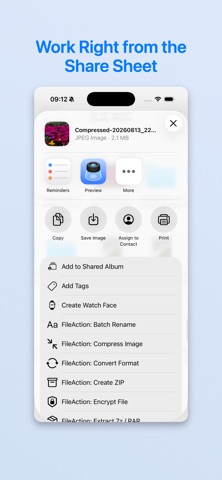
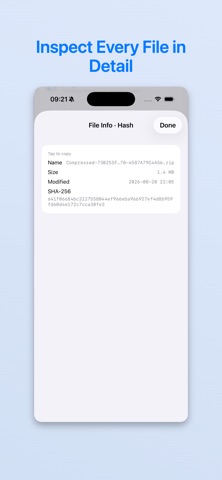
Handle everyday file tasks without uploading your files. FileAction brings 20 focused tools for images, PDFs, archives, and file organization into one private, on-device workspace. Start in the app, or run a specific action directly from the system share sheet in Files and Photos. YOUR FILES STAY ON YOUR DEVICE There is no account, server, analytics SDK, or cloud upload. FileAction processes the files you choose locally and saves results only where you select. IMAGE TOOLS • Compress images by quality or target size • Convert HEIC, JPEG, and PNG • Resize by pixels or scale • Remove EXIF, GPS, and device metadata • Remove image backgrounds on device PDF TOOLS • Merge or split PDF documents • Extract, rotate, and reorder pages • Convert PDFs to images and images to PDF • Compress scanned documents • Add or remove PDF password protection ARCHIVE & FILE TOOLS • Create and extract ZIP archives • Extract 7z and RAR archives • Encrypt files with AES-256-GCM • Inspect file details, EXIF, and SHA-256 hashes • Find duplicate files by content • Batch rename by date, prefix, suffix, or find and replace HOW IT WORKS 1. Choose a tool in FileAction or from the share sheet. 2. Select the files or photos you want to process. 3. Review the result and save it to a location you choose. No uploads. No account. Just focused file actions, ready when you need them.
Details