

Speed Shoots
Tomoyuki Okawa · Photo & Video
Independent analytics for this App Store listing. AppTracker is not affiliated with Tomoyuki Okawa.
Chart standing · US
Screenshots


About
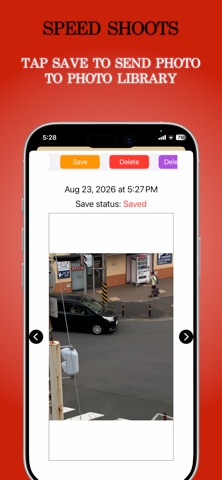
You seldom get a second chance when you miss a fleeting moment. Fortunately, iOS features a burst mode for consecutive shots, but it isn't without its flaws: it can quickly clutter your Photo Library with dozens of near-identical images, and its hidden slide gesture can be unintuitive to trigger when every second counts. Speed Shoots is an iPhone-only camera app built specifically to help you capture consecutive photos without missing the action—and without the clutter. Designed for speed and simplicity, it features a single, prominent shutter button so you can start shooting instantly, with no hidden gestures required. Key Features: • Customizable Shot Count: Easily set your preferred number of consecutive shots (between 2 and 20) per burst so you capture exactly the sequence you need. • Flexible Timers & Voice Countdown: Set a delay before your burst starts, complete with optional numerical and voice countdowns. • Essential Camera Controls: Easily toggle flash modes (Auto, On, Off), adjust exposure compensation (brightness) with a smooth horizontal slider, and use intuitive pinch-to-zoom. • Framing Aids: Overlay your camera view with a clean color grid or square to line up your perfect shot. • Smart Library Management: Rapid shots aren't dumped straight into your native Photo Library. Instead, review your captures one by one and manually select only the best ones to save. • Hiding control cover: When you hold your device in the landscape orientation (horizontal), the camera visible area will become very small because of the control cover. In this case, you can long-press the camera screen itself. And the app will hide the control cover, and the camera visible area will increase. Keep your Photo Library pristine, save only the shots that truly matter, and never miss the moment again with Speed Shoots.
What's new · 1.1.0
1. The app come with a launch screen. 2. The user can now send all photos to the Photo Library by tapping the Save All button. 3. The camera screen now display the number of speed shots to the right of the shutter button. 4. The maximum number of speed shots the user can take at a time is increased to 50.
Details