

OTimedoo
Sylvain Boutet · Productivity
Independent analytics for this App Store listing. AppTracker is not affiliated with Sylvain Boutet.
Chart standing · US
In-app purchases · US
No in-app purchases.
Screenshots
Keywords this app targets
Search terms AppTracker associates with this app — estimates, not search volume. ❝ = in the app's title; a highlighted number is its current position for that term.
Similar apps
Competitors and close alternatives, as estimated by AppTracker.


About
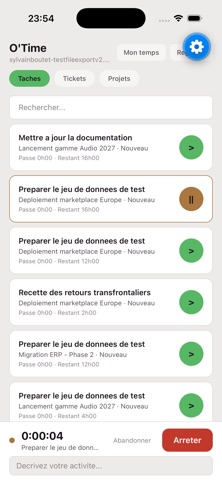
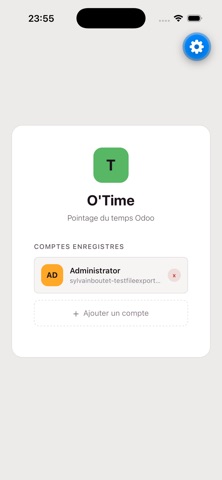
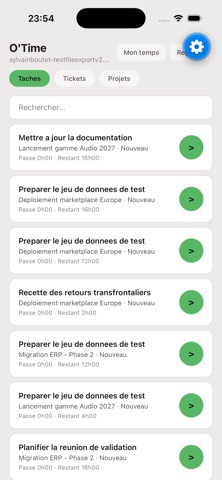
O'Time logs your time straight into Odoo, from your iPhone. ODOO'S OWN TIMER, NOT ANOTHER ONE The stopwatch is the one on your Odoo server, not a local copy. A timer started from the browser at your desk shows up in the app and can be stopped from the phone. Time is measured by the server: no drift when you leave the app, when the screen goes off or when the phone restarts. Your instance's own rules apply as they are, minimum duration and rounding included. WHAT YOU TRACK - Your project tasks - Helpdesk tickets - A project on its own, when no task fits Describe what you are doing while the timer runs; the description lands on the timesheet entry. YOUR WEEK, AT A GLANCE Entries grouped by day, with a total for each day and for the week. Fix a duration, change a description, delete an entry. Add one by hand when you forgot to start the timer. SEVERAL ODOO SERVERS Consultant, contractor, several companies: save as many instances as you need and switch between them without retyping your password. Each instance keeps its own session. RESPECTFUL OF YOUR ODOO The app installs nothing on your server and adds no module. It builds on standard Timesheets. Your access rights, your locked periods and your validations are Odoo's own: whatever the server refuses, the app tells you instead of working around it. FRENCH AND ENGLISH, LIGHT AND DARK The interface follows your iPhone's language and appearance. REQUIREMENTS A reachable Odoo 19 server with the Timesheets app installed and an employee linked to your user. The server-side timer requires Odoo Enterprise; on Odoo Community the app falls back to a local stopwatch and writes the entry when you stop it. Your Odoo credentials stay on the device and only travel to the server you enter. O'Time is not published by Odoo S.A.
Details