

Photo JPG to PDF Converter
Can Berk Hayretdag · Business
Independent analytics for this App Store listing. AppTracker is not affiliated with Can Berk Hayretdag.
Chart standing · US
In-app purchases · US
What this app sells inside itself, grouped by kind and priced for this storefront.
Screenshots
About
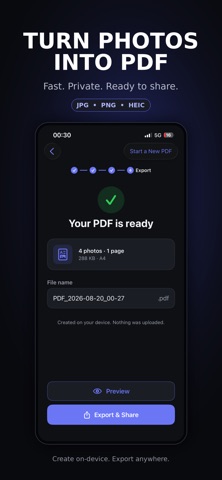
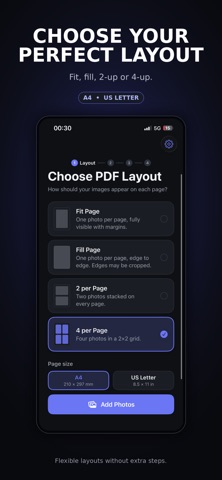
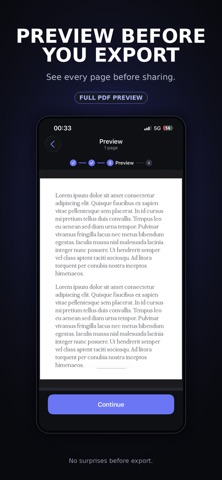
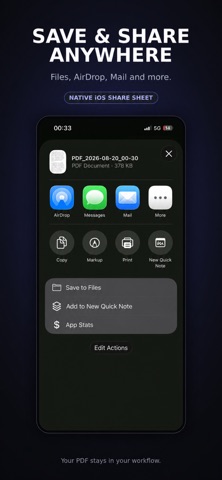
Turn your photos into clean, high-quality PDF documents in seconds. Photo to PDF makes it easy to combine JPG, PNG, HEIC, and other images into share-ready PDF files directly on your iPhone. Choose a layout, add your photos, preview every page, then export and share your PDF wherever you need it. SIMPLE PHOTO TO PDF CONVERSION Create PDFs from your photos in just a few steps: * Choose your PDF layout * Add photos from your library * Take new photos with your camera * Reorder or remove images * Preview your PDF before exporting * Save or share your finished document FLEXIBLE PDF LAYOUTS Choose how your images appear on each page: * Fit Page * Fill Page * 2 Photos per Page * 4 Photos per Page Supports both A4 and US Letter page sizes. PREVIEW BEFORE EXPORTING See exactly how your PDF will look before you save it. Check every page, confirm the layout, and make sure your document is ready before exporting. SAVE & SHARE ANYWHERE Export your PDF using the native iOS share sheet. Save to Files, AirDrop to another device, send by Mail or Messages, print your document, or share it with other compatible apps. PRIVATE & ON-DEVICE Your photos are processed directly on your device. No account is required, and your images do not need to be uploaded to a server to create your PDF. BUILT FOR SPEED No complicated document tools. No unnecessary setup. Just select your photos, create your PDF, and share it. Perfect for: * receipts * documents * notes * homework * forms * screenshots * scanned pages * photo collections * work documents * personal files Download Photo to PDF and create your next PDF in seconds. Terms of use: https://www.apple.com/legal/internet-services/itunes/dev/stdeula/ Note: This app offers auto-renewable subscriptions. Access to all premium features requires a valid subscription.
Details